How to Evaluate No-Code Platforms Before You Commit
No-code platforms have become increasingly popular as businesses look for faster ways to build applications and workflows without relying entirely on traditional software development.
Budget pressures and developer shortages are among the factors encouraging businesses to explore alternatives. A Gartner forecast cited by Newly estimates that 75% of new enterprise applications will be created using low-code or no-code technologies by 2026.
Enterprises now have a wide range of platforms, including tools such as Quickbase, that let businesses build applications around specific operational needs.
With so many choices, it can be hard for businesses to decide which one suits them the best. To decide, it’s important to understand what a no-code platform is and what it can do.
What is No-Code?
No-code platforms are tools that let users build applications and workflows through visual interfaces and configuration rather than writing the underlying code themselves. Many modern platforms also incorporate AI features that can help generate applications, workflows, or other components from natural-language instructions. The goal is to make application development more accessible for business users.
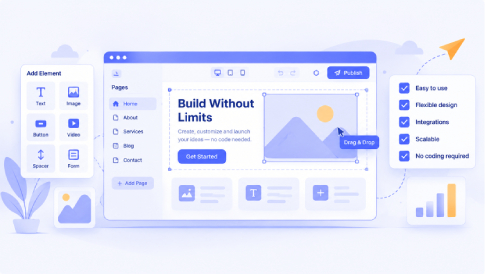
They typically use visual development tools, such as drag-and-drop interfaces and prebuilt components, to make application development more accessible to people without traditional programming skills.
No-code platforms do not replace every form of software development, and their capabilities and flexibility can differ from provider to provider. Users still need to understand the business processes, data, permissions, integrations, and workflows they are trying to build.
For website projects, MotoCMS is one example of a no-code website builder that combines a visual drag-and-drop editor with ready-made responsive templates. Users can start with a niche-specific design and customize its layout, content, colors, and other elements without writing code. This approach can help businesses get a professional starting point while keeping control of day-to-day website updates.
With the benefits and potential business applications clear, it is no surprise they’re becoming so popular. But implementing any new tool comes with risks and costs, so it’s important to get it right.
Here are a few key points to consider when choosing a platform.
What is the Problem?

Before comparing no-code platforms, identify the specific problem the new application is supposed to solve and how it would improve the existing workflow.
Implementing software without a clear business need can quickly become burdensome and contribute to software sprawl. BetterCloud’s 2026 reporting puts the average number of SaaS applications per company at 118, highlighting why businesses should consider whether a new platform solves a genuine need or simply adds another layer to the technology stack.
Start by identifying employees’ existing pain points, then consider how a new application could address them and support broader business objectives.
Once the purpose becomes clear, then it is easier to judge whether a platform genuinely meets those needs. For website projects, also consider how the platform handles website data and analytics, since measuring performance can be as important as building the site.
Beyond the Initial Build
Evaluate a platform not only on how it builds an application, but also on how it supports that application from development through launch and beyond.
Generating an app is just the beginning, and for it to be worthwhile for the company to adopt long-term, maintenance, updates, governance, and support can become significant parts of an application’s long-term cost and workload. If these capabilities are limited, the platform may become harder to maintain as requirements change.
The platform should support editing applications after launch, including ongoing updates and workflow changes, without requiring a rebuild from scratch. It will support ongoing updates and workflow changes without rebuilding the app from scratch each time.
Because business requirements can change over time, include long-term support in the evaluation process.
Who Will Be Using It?
Before choosing a platform, consider who will use it and whether it supports effective cross-team collaboration.
If a business plans to allow multiple teams to access the platform, they might have different requirements, expectations, and differing pre-existing workflows. A platform that is difficult to use or limited in scope can quickly become a burden.
Considering how easily different users can collaborate is key to making the right choice. Understanding the training requirements and technical skills needed to build and maintain applications can help ensure smoother adoption across the team.
Any platform chosen should fit relatively easily into an existing technology environment.
Check Integrations and Data
A platform should also fit into the existing technology stack. Check whether it can connect to the databases, CRM systems, payment tools, communication platforms, or other services the business already relies on. Strong integration options can reduce duplicate data entry and make the application easier to incorporate into existing workflows.
Think About Growth
A project that starts as a small internal tool can eventually become important to day-to-day operations.
If a platform cannot accommodate additional users, more complex workflows, or changing requirements, it may become a limitation as the business grows.
Understanding how well a platform supports growth is vital. The same applies to no-code website building: a suitable platform should let you update, expand, and adapt a website as business requirements change. Apps need support for both governance and security, not just functionality. Supporting additional users and growing with the company can make a huge difference.
A suitable no-code platform should support the organization beyond its first application.
Selecting a no-code platform is a long-term operational decision. The right fit should align with the organization’s business needs, security requirements, integrations, user needs, and future growth. Evaluate each platform against these criteria rather than choosing based on feature lists alone.
A structured evaluation can help businesses avoid adding unnecessary complexity and choose a platform that supports their actual needs.




Leave a Reply