Website Management for Growing Web Agencies: How to Scale Securely
A growing client list is a positive sign for any web agency. It also creates new operational and security challenges.
When an agency supports only a few websites, the team can handle updates, access requests, backups, and technical problems manually. As the portfolio expands, that informal approach becomes harder to maintain. Staff must oversee more websites, user accounts, devices, software tools, and client communications, often across different platforms and hosting environments.
This increased complexity can lead to missed updates, excessive access rights, inconsistent maintenance, and slow responses to security incidents. To keep growing safely, web agencies need repeatable processes that protect both the websites they build and the systems that manage them.
Website Management Now Extends Beyond Design
Clients may first approach an agency for a new website, redesign, or e-commerce project. However, their expectations rarely end at launch. This is where website management becomes a core part of an agency’s ongoing service model. Managing a client website can include content updates, CMS and plugin maintenance, performance monitoring, backups, user permissions, domain settings, analytics, and troubleshooting. As the number of managed websites grows, agencies need a consistent system for keeping these responsibilities visible and accountable.
Many clients also need ongoing content updates, technical support, performance checks, backups, software maintenance, and security assistance. In practice, this means that web agencies often become long-term technology partners.
This role carries significant responsibility. A team member may have administrator access to several client websites, hosting dashboards, analytics accounts, domain settings, and business email systems. If the device that stores or accesses those accounts is compromised, the incident may affect more than one client.
Agencies must therefore consider the security of their entire management environment. Protecting a website matters, but so does protecting every device, account, and workflow connected to it.
Where Security Gaps Commonly Appear
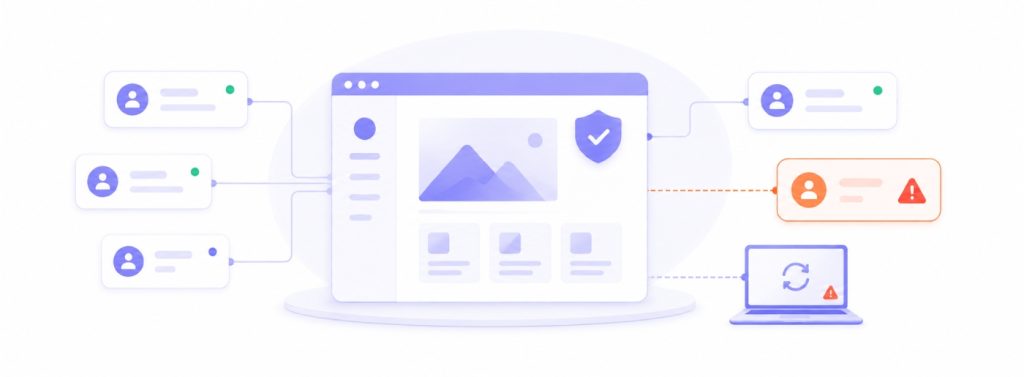
Security problems often develop through small operational weaknesses rather than one dramatic mistake.
For example, a former contractor may retain access after a project ends. A team member may use an administrator account for routine work that does not require elevated permissions. A laptop may miss important software updates. Credentials may be shared through an informal channel because the team needs to resolve an urgent client request.
Each shortcut can create unnecessary exposure.
A practical security review should examine:
- Who has access to each client system
- Which users hold administrator privileges
- Whether access remains necessary
- How credentials are stored and shared
- Whether agency-owned devices receive regular software updates
- How backups are created and tested
- How suspicious activity is reported
- What happens to access when an employee, freelancer, or client leaves
These controls do not need to slow down creative or technical work. A clear process can make daily tasks faster because team members know where to find information, who can approve access, and how to respond when a problem occurs.
Why Manual Maintenance Stops Scaling
Spreadsheets, calendar reminders, and personal checklists may work for a small portfolio. They become less reliable as the agency adds clients.
Manual processes depend heavily on individual memory. One employee may know when a website requires maintenance, while another holds the login details or understands the hosting environment. If that person is unavailable, a routine task can be delayed.
The same problem applies to endpoint and software management. Staff members may use different operating systems, browser extensions, communication apps, and design tools. Without a clear inventory, the agency may not know which devices or applications require attention.
Standardization helps reduce this uncertainty. Agencies can define a maintenance baseline for every new client and internal device. That baseline may cover access control, update schedules, backup responsibilities, security checks, documentation, and escalation procedures.
The goal is not to make every project identical. It is to ensure that essential tasks do not disappear when workloads increase.
What Effective Website Management Includes
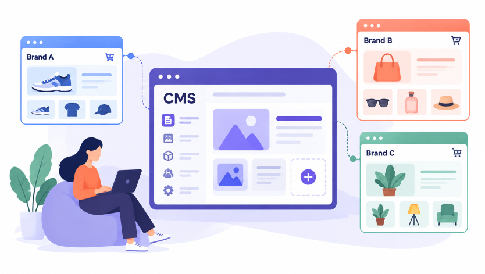
The website platform itself should also be part of the management process. A flexible CMS can make routine content updates easier for agency teams, while a standardized website structure can simplify maintenance across multiple client projects. Choosing a platform that supports responsive templates, straightforward content editing, and centralized website management can reduce the amount of technical intervention required for routine changes.

Website management goes beyond keeping a site online. Agencies may be responsible for content updates, CMS maintenance, plugin and integration checks, backups, user access, performance monitoring, analytics, and technical support.
A regular website security check can also help agencies identify outdated software, access issues, configuration problems, and other risks before they become larger incidents. For example, a monthly website management checklist might include reviewing software updates, checking forms and key functionality, verifying backups, reviewing uptime and performance, and confirming that former users no longer have unnecessary access.
This structure gives agencies a repeatable way to manage websites across different clients without relying on individual memory or scattered reminders.
What Centralized Management Can Improve
Centralized management gives an agency a broader view of the devices, applications, websites, and workflows that support client services.
Instead of checking each device and client website separately, a team can use a common management process to review software versions, coordinate website maintenance, provide remote assistance, and document completed work. This approach can also help agencies apply consistent policies across distributed or remote teams.
Automation has an important role, but it should support a defined process rather than replace one. Agencies must first decide which tasks are safe to automate, which require approval, and which should always involve a manual review.
Useful automation may include routine update deployment, asset inventories, maintenance alerts, and standard reports. Access changes, major software modifications, and incident-response decisions may still require human oversight.
By combining automation with clear accountability, an agency can reduce repetitive work without losing control of critical systems.
How to Compare Website and IT Management Platforms
The right platform depends on the agency’s size, technical responsibilities, service model, and client requirements. A freelancer who manages five websites will have different needs from an agency that provides ongoing support to dozens of businesses.
Common evaluation areas include:
- Device and software visibility
- Patch and update management
- Remote-support capabilities
- Workflow automation
- Alerting and reporting
- Role-based access
- Multi-client management
- Deployment requirements
- Integration with existing tools
- Pricing and scalability
- Website and CMS management capabilities
Remote monitoring and management platforms may appear similar at first glance, but their priorities, features, and pricing structures can differ. Agencies assessing their options can review this NinjaOne vs Atera comparison as part of a wider evaluation of which platform best matches their operational needs.
A comparison should not depend on the longest feature list. The agency should identify its essential use cases first, test how each platform supports daily work, and consider how easily the solution can scale as the client portfolio expands.
A Practical Security Framework for Web Agencies
A scalable security program can begin with a straightforward framework.
First, create an inventory of client websites, hosting accounts, domains, integrations, devices, and responsible team members. This record should show what the agency manages and where its responsibilities end.
Second, set an access standard. Give each user only the permissions required for their role. Avoid shared administrator accounts where possible, review access regularly, and remove permissions promptly when they are no longer needed.
Third, establish an update process for agency devices and the software used to serve clients. Assign responsibility for approving, scheduling, and verifying important updates.
Fourth, define backup ownership. The agency and client should understand who creates backups, where they are stored, and who handles restoration when necessary.
Fifth, prepare an incident workflow. Team members should know how to report suspicious activity, preserve relevant information, notify decision-makers, and communicate with affected clients.
Finally, document the process. Good documentation allows another authorized team member to continue essential work without relying on one person’s memory.
Build Security Into Every Client Workflow
Security is easier to manage when it becomes part of normal agency operations. For agencies managing multiple client websites, this is also part of a broader cybersecurity strategy rather than a one-time technical task.
New projects should begin with clear ownership and access rules. Ongoing maintenance should follow a consistent schedule. Offboarding should include credential changes, account removal, ownership transfers, and written confirmation of completed tasks.
This approach helps agencies deliver a more dependable service while protecting the trust clients place in them. It also creates a stronger foundation for growth. The team can accept more work because routine responsibilities are visible, repeatable, and easier to supervise.
A secure web agency does more than protect individual websites. It protects the people, devices, accounts, and processes behind every client project. With clear standards and suitable management tools, growth does not have to introduce unnecessary risk.

Leave a Reply