How AI Image Generators Are Changing Creative Workflows
Discover how an AI Photo Generator can streamline the creative workflow, from brainstorming visual concepts to producing polished photos, ads, product images, and social content.
Creating visual content used to involve a surprisingly long chain of steps.
You needed an idea, a photographer or designer, suitable locations, lighting, editing software, and often several rounds of revisions. Even a simple product image could take hours to prepare.
That workflow is changing.
Generative AI has made it possible to move from a written idea to a finished visual in a much shorter time. More importantly, some modern AI image platforms combine generation, editing, restyling, and upscaling in a single workflow.
This shift matters because visual production is no longer only a design problem. It is increasingly a speed and experimentation problem.
Recent industry research shows that generative AI adoption has expanded rapidly across businesses, with marketing and sales among the areas where organizations are actively applying the technology.
For creators and marketers, the interesting question is no longer simply, “Can an AI image generator make a good picture?”
It is: Can AI make the entire creative process easier?
The Real Problem Is Not Image Generation
At first glance, image generation sounds simple.
Write a prompt. Get an image. Done.
In real creative work, however, generating one image is rarely the final objective. A marketer may need five product concepts, three social-media variations, a banner, a lifestyle image, and several alternative compositions.
A YouTube creator might need a thumbnail concept, character artwork, background images, and several variations before choosing one.
This is where the traditional workflow becomes inefficient.
The Hidden Cost of Traditional Visual Production
Consider a small online store launching a new product.
The owner needs:
- A clean product image
- A lifestyle scene
- A social-media version
- A promotional graphic
- Several background variations
With conventional photography, producing these assets may require multiple setups, shoots, and editing sessions.
With generative tools, the same project can become an iterative process:
Idea → Prompt → Image → Revision → Variation → Final asset
That difference is significant.
Instead of treating every visual as a separate production task, creators can treat images as iterations of the same idea.
Where AI Image Generator Fits Into the Modern Creative Workflow
A useful AI workflow does not necessarily replace human creativity.
It removes some of the repetitive work around it.
1. Start With the Concept
The first stage is still human.
What should the image communicate?
A vague prompt such as “a nice product photo” leaves too much room for interpretation. A more useful creative brief might describe the product, environment, lighting, composition, mood, audience, and intended platform.
For example:
A minimalist skincare bottle on a pale stone surface, soft morning sunlight, subtle shadows, premium editorial photography.
The goal is not to write a perfect prompt immediately.
The goal is to create a visual starting point.
2. Generate Multiple Directions
This is where AI image generators change the economics of experimentation.
Instead of committing to one expensive production concept, a creator can explore multiple directions first.
A campaign might test:
- Studio photography
- Outdoor lifestyle photography
- Editorial fashion styling
- Minimal product composition
- Cinematic advertising imagery
The best concept can then be developed further.
This approach is particularly useful for AI ad tools, because advertising often requires testing different creative directions before finding a strong visual match.
3. Edit Instead of Starting Over
One of the more useful developments in AI image creation is prompt-based editing.
Some platforms let users upload an existing image and describe the changes they want, rather than rebuilding the visual from scratch.
For example:
Replace the background with a modern office.
Or:
Make the lighting warmer and remove the objects behind the subject.
This is a subtle but important shift.
The workflow becomes generate → refine, rather than generate → discard → start again.
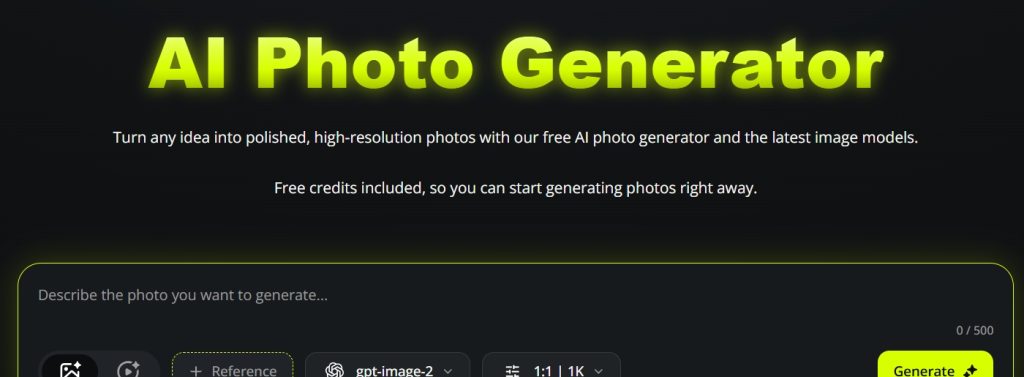
PhotoGenerator.ai is designed around this type of workflow, allowing users to generate images from prompts as well as upload existing images for restyling, retouching, background changes, and creative remixing.
4. Improve the Final Output
Generation is not always the last step.
A visual may look good on screen but still need a higher resolution for printing, ecommerce, or professional marketing materials.
This is where upscaling becomes part of the creative workflow.
PhotoGenerator.ai also provides an image-upscaling option for increasing image resolution and improving the appearance of fine details.
That creates a more complete pipeline:
Generate → Edit → Refine → Upscale → Publish
Rather than switching between several unrelated tools.
Why Multiple Models Can Be More Useful Than One “Best” Model
Many assume a creative AI image generator should eventually have one universally superior image model.
In practice, creators often need different strengths.
One model may be better at accurately rendering text. Another may produce stronger artistic compositions. A third may be more effective for photorealistic product imagery.
A multi-model AI platform can give creators more flexibility by letting them choose a model suited to the project’s specific requirements.
Different Jobs Need Different Visual Approaches
Imagine creating a campaign for a fictional coffee brand.
For the product hero image, photorealism may be the priority.
For Instagram artwork, a more stylized aesthetic could work better.
For a campaign concept, cinematic imagery might be more useful than strict realism.
The important advantage is not necessarily that one model produces better images.
It is that the creator can choose the right visual engine for the specific task.
A Practical Example: Turning One Product Into a Full Campaign
Let’s take a simple example.
Suppose a small skincare brand has one product photograph.
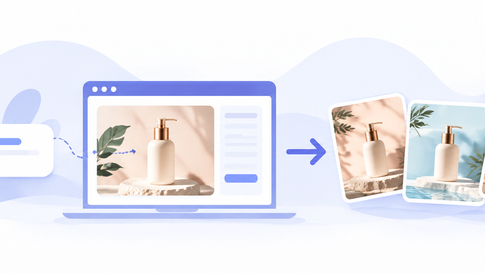
Instead of immediately commissioning a complete photoshoot, the marketing team could use the existing photo as the starting point.
Step One: Create the Hero Scene
Generate a premium studio environment around the product.
The objective is a clean image suitable for the product page.
Step Two: Build a Lifestyle Version
Change the environment.
The same product could appear in a bright bathroom, a minimalist bedroom, or a natural outdoor setting.
Now the team has multiple creative directions.
Step Three: Produce Social Variations
Create different compositions for social posts and advertisements.
A vertical image may work for one platform, while a wider composition may be more suitable for another.
Step Four: Upscale the Final Selection
Once the marketing team chooses the strongest concept, improve its resolution before publishing or printing.
This is where the workflow becomes more interesting than individual image generation.
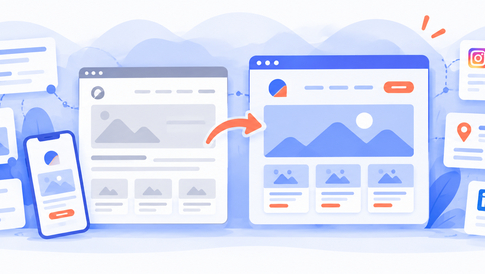
The original photo becomes a creative asset that can produce multiple campaign assets. These visuals can then be used across a brand’s digital presence, from ecommerce product pages to promotional landing pages and blog content. For businesses building or refreshing their websites, choosing a suitable website template provides a starting point for presenting product imagery consistently across different pages. AI-generated visuals can help explore creative directions, while the website’s layout ensures the final content remains clear and cohesive.
The Bigger Trend: AI Is Moving From Tool to Workflow
This is perhaps the most important development.
Early generative AI tools were often treated as novelty products. You typed a prompt and generated something interesting.
Professional adoption requires something different.
The tool needs to fit into an existing process. This shift is reflected in industry research. Gartner’s survey of 418 marketing leaders, conducted between July and September 2024, found that 77% of organizations that had adopted generative AI were using it for creative development tasks. The figure rose to 84% among high-performing marketing organizations.
That suggests a broader shift.
The value of AI may not come from producing one spectacular image.
It may come from allowing teams to test more ideas, revise them faster, and produce more variations without expanding the production process.
What Creators Should Look For in an AI Image Generator
Not every generator is equally useful for practical creative work.
Instead of judging a platform only by how impressive its demo images look, creators should consider the workflow around those images.
Prompt Control
Can you describe specific details and refine the result without rebuilding everything?
Model Choice
Does the platform provide different models or styles for different creative requirements?
Image Editing
Can you upload an existing image and make targeted changes?
Resolution
Are the final assets suitable for websites, social media, ecommerce, or print?
Ease of Experimentation
Can you generate variations quickly enough to make experimentation practical?
These questions are often more useful than simply asking which AI model produces the “best” image.
The New Creative Advantage Is Iteration
The biggest advantage of an AI image generator may not be artistic quality.
It may be creative iteration.
When visual production becomes faster, teams can explore more possibilities before committing to one direction.
A small business can test several advertising concepts.
A content creator can experiment with different thumbnail styles.
An ecommerce seller can visualize product concepts before investing in a photoshoot.
A designer can use an AI image generator to explore rough directions before polishing the final composition manually.
This does not make human creativity less important.
In many cases, it makes creative judgment more important because there are now more possibilities to choose from. Regardless of how visuals are produced, the final published content should provide genuine value to its intended audience, consistent with Google’s guidance on helpful, people-first content.
Final Thoughts
The most useful way to think about an AI Photo Generator is not as a replacement for photographers, designers, or creative teams.
Think of it as a visual iteration engine.
The real benefit appears when generation, editing, model selection, and enhancement become part of one continuous process.
For creators, that means fewer dead ends.
For marketers, it means more opportunities to test creative ideas.
For small businesses, it can lower the barrier to producing professional-looking visual content.
And for anyone working with digital media, the workflow is becoming increasingly simple:
Describe an idea. Generate it. Refine it. Try another direction. Improve the final image. Publish.
That may ultimately be the most important change brought by generative imagery—not that computers can make pictures, but that humans can explore visual ideas much faster than before.


Leave a Reply