Useful Tips On Mastering Practical Video Editing For Creative Media
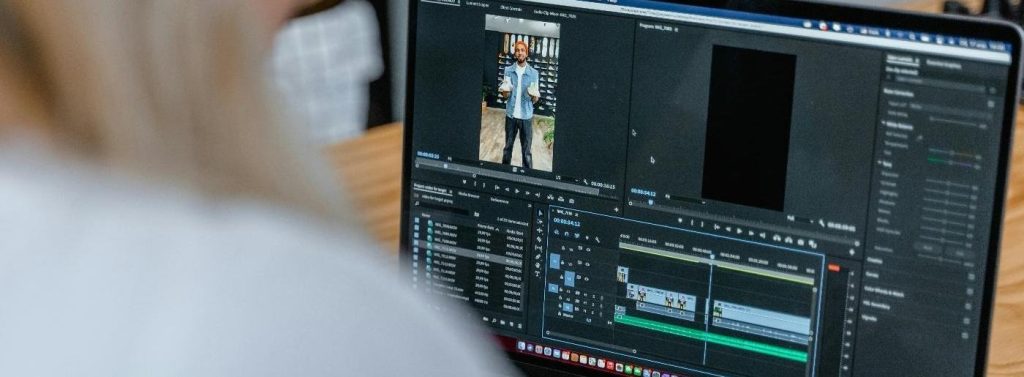 IMAGE SOURCE: https://www.pexels.com/photo/doing-business-using-a-laptop-7679465/
If you consider yourself to be a creative person who likes to make some type of virtual stories through videos, then you probably love editing videos, or if you haven’t done it before, maybe you conclude that it’s something you’d like to do in the future.
The truth is that video editing can be pretty exciting, because there are so many tools and tricks that you can use that are going to help you make a story that will pique the interest of anyone who sees what you’ve done.
Although it’s undeniably creative and fun, if you’ve never done it before, it may be overwhelming at first. But don’t panic, right away! With the video editing tips that we compiled, you’ll master it in no time!
Focus On The Story
One of the most common issues beginners run into is starting to use filters and other editing tools right off the bat. Yes, it’s completely understandable if you’re too impatient, but that doesn’t mean that it’s the smartest thing to do.
These tools do look great and can level up your videos, but if you concentrate on them too much, your story will lose its quality and purpose. Therefore, before you begin these fancy transitions, first ask yourself what you want to accomplish with your videos.
Do you want to create a vlog that will show what you love to do throughout the day? Is it a tutorial? Whatever you decide to make, it’s essential to first define the purpose of it before you take further steps (in terms of video editing) because only then will you make something that’s worth watching.
Pick The Right Programs
There are several tools at your disposal for these purposes. What you’ll ultimately select should depend on your skill level regarding video editing. For example, if you’re searching for software that can help you cut and edit both video and audio for the internet, and/or film, then you should consider using Adobe Premiere Pro.
It’s a program that many seasoned professionals utilize. Even if you’ve never employed it before, don’t worry, you can learn Adobe Premiere Pro with training classes and eventually master it. Are there any other great options besides this one?
Of course, there are! A lot of people, both more and less experienced, resort to tools such as Final Cut Pro, DaVinci Resolve, and many others. All of them come with fantastic AI features and are intended for different skill levels.
Cutting Is Sometimes Inevitable
Now, this may not be the most thrilling piece of advice you’ll get when it comes to this, particularly if you have spent hours making a video, but at times, deleting becomes mandatory if you want your story to be good.
There’s no point in keeping something that doesn’t move your story forward or make your video more informative. If there are lots of redundant moments or repetitive shots, then you’ll only make your video too boring if you keep them.
If you want to do things the right way, then put yourself in the shoes of a viewer, because only then will you be able to realistically see things and not be overly emotional and hesitant when it’s time to delete some parts.
Go Back To The Basics
Before you officially become an expert as far as video editing is concerned, bear in mind that you still need to cover the basics before you move on to more difficult things. That’s the case with everything, including this.
There are several techniques that you should master that are considered essential. They include the following:
- Cutting and trimming – This refers to eliminating things that are rather unnecessary, and keeping the ones that will only embellish your videos.
- Adjusting audio levels – Adding interesting and engaging sounds and music, to keep your viewers even more engaged.
- Don’t forget transitions – Moving from one clip to another with wipes and crossfades.
- Text and titles – Adding text and titles so that everything is perfectly understandable and crystal clear to your viewers.
- Applying color correction and grading – If you want your videos to stand out from the others, then you can accomplish that by implementing these two.
Rhythm And Flow Matter!
You should perceive editing like making music. Every single cut represents a beat, and the way your video clips follow one another creates rhythm. If you want your videos to exude something that’s dynamic, fast, and intense, then you should opt for faster cuts.
In contrast, if you’d like to make them more emotional, serious, and serene, then slower cuts are the way to go. Both of them are great. What you’ll opt for depends on the vibe you want your videos to exude.
If you’re planning on having some background music, then you should cut clips to complement it. If you notice that there’s something weird, that simply doesn’t feel right, then it’s most likely due to a pacing problem.
How Good Is Your Computer?
Now, there isn’t any particular brand or model that could be recommended for these purposes, so you can purchase the one that you’re generally fond of; however, what’s crucial is to select the one that’s fast and that has good storage.
Speed is especially important because if your computer isn’t fast enough, then you won’t be capable of editing your videos in peace because it’s going to take forever for you to complete anything.
Speaking of this, it wouldn’t hurt to spend some money on a fast storage drive (SSD). It’s going to enable you to quickly access your programs and files, and, at the same time, accelerate loading, rendering, and export times.
If you want every video editing process to be smooth, then consider having at least 8GB of RAM.
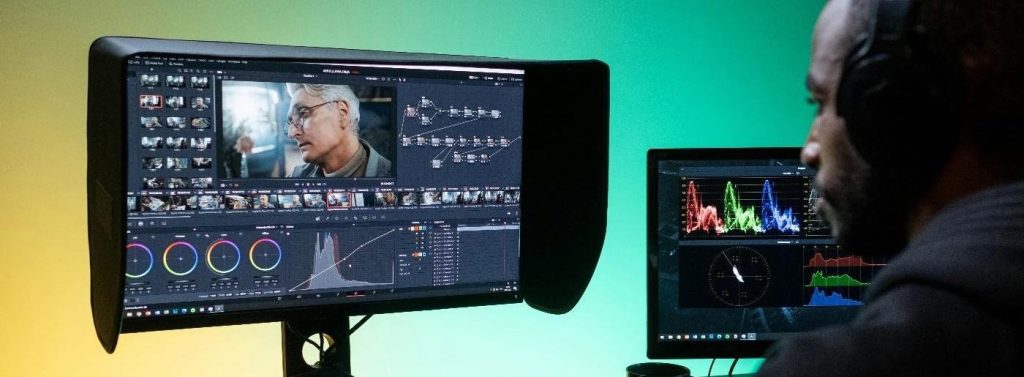 IMAGE SOURCE: https://www.pexels.com/photo/man-sitting-at-the-desk-and-editing-footage-on-a-computer-8102676/
The reality is that video editing doesn’t need to be all that challenging. Anyone can master it, as long as they implement all the editing tips that were provided today. So give them a try, and you’ll quickly see how amazing you actually are!
Feel free to check our article on the 15 best video cutter and editor tools for PC.