Short AI Review in 2025: Transform Ideas into Videos!
Short AI is an AI-powered short video generator designed to make video creation easy and fast. With Short AI, you can automatically create professional faceless videos for platforms like TikTok and YouTube without any editing skills. It provides a simple way for creators to turn their ideas into viral videos quickly. Short AI helps you grow your followers, boost your video engagement, and even earn money online by making content creation accessible for everyone.
Features
Short AI is filled with beneficial tools that make video introductions extremely smooth and effective for everyone. Whether or not you want to speedily make exciting movies for TikTok or YouTube, upload captions, or control your social media posts, Quick AI has you covered. right here, let’s look at the main functions that set Short AI apart.
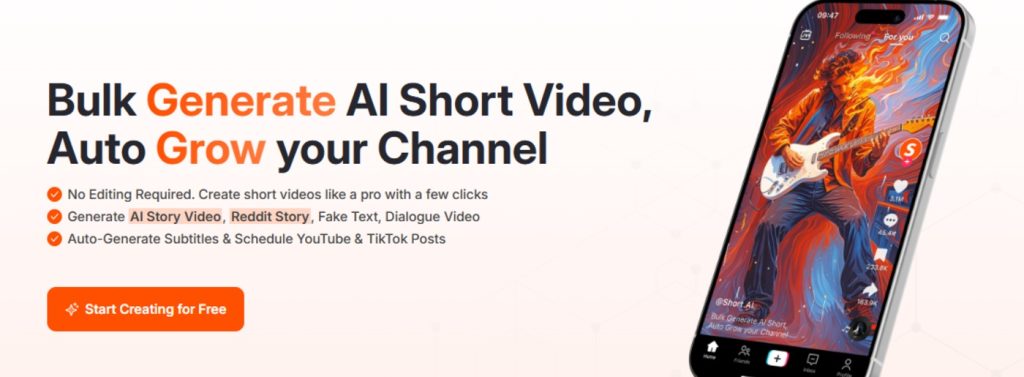
- AI Caption Generator: Instantly add captions to your videos with great accuracy. Captions help your viewers understand your content better, even if the sound is off. Supported in 32+ languages and packed with cool dynamic styles, emojis, and highlights.
- Faceless Video Creator: Want to stay anonymous or just don’t feel like showing your face? Short AI lets you create engaging faceless videos using only your voice or an AI-generated story.
- Reddit Video Generator: Select interesting stories from Reddit and transform them into videos easily. This tool saves you hours of editing and helps you connect with your audience through popular online stories.
- Social Media Scheduler: Tired of posting videos one by one? The built-in scheduler allows you to plan your video releases for both TikTok and YouTube. This means you can create content in advance and let Short AI do the rest.
- Fast Bulk Video Generation: Make a week’s worth of short videos in just a few minutes. No more struggling with multiple editing tools or complex software.
- Viral Video Templates: Short AI provides templates designed to grab attention and help your videos go viral quickly.
- Easy Customization: Choose how your videos look and feel to best match your unique style or the tone of your channel.
Pros
Using Short AI offers a lot of benefits for creators who want to make quick, professional-looking short videos without hassle. Let’s go over some of the top advantages.
- Easy to use, even for beginners — you don’t need technical skills to get started.
- No need to show your face. Create faceless videos and grow your channel anonymously.
- Fast video generation — get your video in 1–2 minutes.
- Bulk video creation saves you time, letting you plan out a week of content in one sitting.
- Built-in Social Media Scheduler to auto-publish your videos on TikTok or YouTube.
- Customizable templates for different video styles, so your content always matches your brand.
- Accurate speech-to-text subtitles in 32+ languages.
- Boost your followers and potential ad revenue through viral video creation.
- Affordable and offers a free trial.
Pricing
Want to realize how much it costs to apply short AI in your social media scheduling and video wishes? let’s explore the distinctive pricing plans, what’s included in every, and which one might be the high-quality fit for you. Thanks to clean alternatives, you could choose the right plan whether or not you’re a beginner, a growing writer, or an enterprise seeking to scale up your video manufacturing.
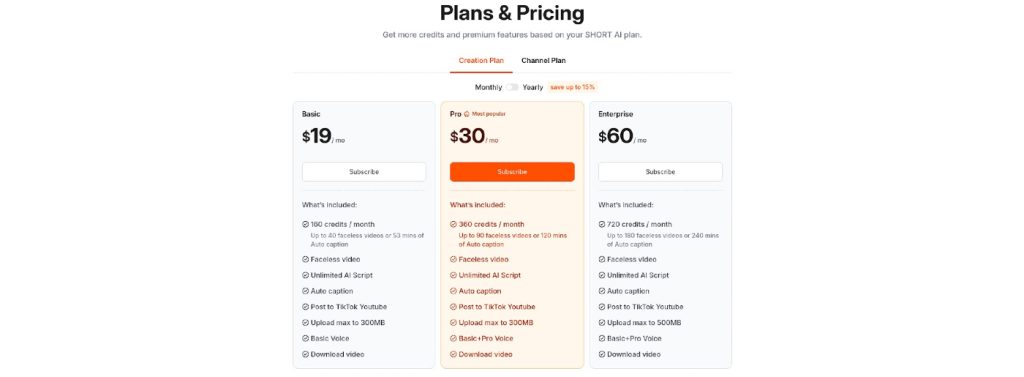
Short AI offers three main plans: Basic, Pro, and Enterprise. Each comes with its own features and amount of credits. Credits allow you to generate faceless videos, add auto captions, and use other innovative tools. No matter the plan, you get access to powerful features to help you make professional short videos with less effort.
- Basic Plan: $19 per month (billed yearly). Includes 160 credits each month, lets you create up to 40 faceless videos or 53 minutes of auto captions. Get unlimited AI script generation, basic voice options, and upload up to 300MB per video.
- Pro Plan: $30 per month (billed yearly). Get 360 credits monthly, allowing up to 90 faceless videos or 120 minutes of auto captions. Unlock both basic and Pro voice options, along with all the perks of the Basic plan.
- Enterprise Plan: $60 per month (billed yearly). Enjoy 720 credits per month, create up to 180 faceless videos or 240 minutes of auto captions. Upload videos up to 500MB, plus get all voice options and top-level support.
Enjoy More Benefits
Worried about spending too much time on editing or posting? No problem. Each plan supports auto-posting to YouTube and TikTok, so you can focus on your creativity instead of juggling lots of apps.
Credit usage is straightforward: for faceless videos and AI story videos, each 30-second segment costs 2 credits. Adding captions automatically uses 3 credits per minute. This helps you plan better so you always know what you’re getting out of your monthly credits.
If you need even more videos or want to boost your social media scheduler capabilities, you can upgrade your plan anytime. No hidden fees, just pick the plan that matches your needs.
To check the most up-to-date pricing details, visit the official Short AI Pricing Page.
Ideal Audience for Short AI
Short AI is created for all types of content creators who need to make professional short movies without mastering complicated editing capabilities. It is specifically beneficial for those who are inquisitive about expanding their social media presence and need a concise, clean, and effective way to do so. whether or not you’re simply starting or already have revel in, short AI will let you attain your goals quicker.
If you dream of running a faceless video channel—where you don’t need to show your face at all—Short AI is perfect for you. The platform allows you to create videos using stories, dialogues, or even fake text messages without ever having to appear on camera. This makes it a great tool for those who value privacy or feel shy in front of a camera.
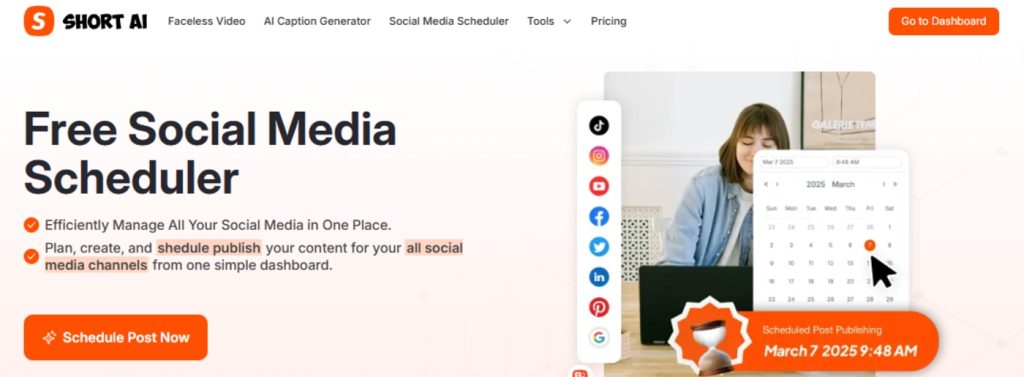
Short AI is also a fantastic fit for people who want to save time by using the Social Media Scheduler feature. This tool helps users plan and publish posts on YouTube and TikTok with ease, so they can focus on the creative part and worry less about when and how to post. If you are someone who wants more video engagement, more views, and the chance to earn money from your content, Short AI was designed for you.
- Creators who want to build faceless video channels on YouTube and TikTok
- Storytellers who like making Reddit story videos or text-based content
- Beginners looking for easy tools to create videos without editing skills
- People who want to schedule and automate their social media posts
- Anyone hoping to earn money by making viral short videos
Families, students, teachers, and anyone interested in sharing ideas online can also benefit from Short AI. You don’t have to be a professional or have expensive equipment—the platform takes care of the hard parts for you.
How to Use Short AI
Getting started with Short AI is quick and simple, no matter if you’re a beginner or already make content. Short AI helps you easily create short videos for TikTok, YouTube, and other social media sites, even if you don’t want to show your face. In this section, we’ll walk you through the basic steps to create stunning videos using Short AI’s free Social Media Scheduler and video generator features.
Before making your first video, you’ll need to sign up for a free account. You can do this by clicking on Sign up in the top right corner of the homepage. After creating your account, just log in to start exploring all the tools.
5 Easy Steps
- Create Your Project: Once you’re logged in, head over to your dashboard. Click on the ‘Create’ button to start a new video. You can choose from various video types, including AI story video, Reddit story, fake text video, or dialogue video.
- Write or Paste Your Script: Enter the text or script for your video. Short AI will turn your words into engaging content. You can use your own ideas or try the TikTok script generator for inspiration.
- Customize Styles: Choose a template or customize the style, captions, and effects to match the personality of your channel—perfect for faceless videos.
- Add Subtitles and Elements: Make your videos stand out by adding dynamic captions, emojis, GIFs, and highlights. The AI Caption Generator offers over 99% speech-to-text accuracy and supports more than 32 languages.
- Schedule and Post: With the Social Media Scheduler, you can set posting times for TikTok and YouTube. Just select your finished video, pick a date and time, and let Short AI handle the publishing.
The entire process, from script to finished video, typically takes only 1-2 minutes. You can make several videos in one sitting, saving lots of time. Once you’re happy with your result, schedule your posts and watch your audience and earnings grow!
Conclusion
In a nutshell, the use of a robust Social Media Scheduler like Quick AI can absolutely alter the way you create and share content online. With features that assist you in planning, editing, and posting videos on various systems, including TikTok and YouTube, you can save a significant amount of time and achieve excellent results. The platform is simple for everyone to apply, whether you are just starting out or already a creator, and enables you to grow your target market with attractive, faceless motion pictures, auto-generated captions, and scheduled posts.
By letting short AI cope with the heavy obligations together with modifying and posting on the proper time, you may focus more on making creative ideas come to life. Plus, with dependable assistance for over 32 languages and subtitle equipment, your content can reach people from everywhere in the world. Many creators have seen their followers double and ad revenue increase after the use of these tools, showing just how valuable a Social Media Scheduler can be.
If you are geared up to take your channel to the next level, get greater views, and even begin making a living from your content, Quick AI’s Social Media Scheduler is your quality preference. Start nowadays and see how much time you could save and how quickly your target audience can grow.




Leave a Reply