Papervision 3D Flash Gallery
Using a simple example I’d like to show you main principle of working with Papervision 3D and tell you the truth of it’s power and strength. In my previous posts you’ve seen tons of awesome galleries using 3D effects. So I created awesome simple papervision gallery which is using XML file as an images database in this case in 3D! I hope you’ll find this flash gallery interesting.

I’ll try to do my best and write detailed tutorial in few days to help you study the papervision gallery code.
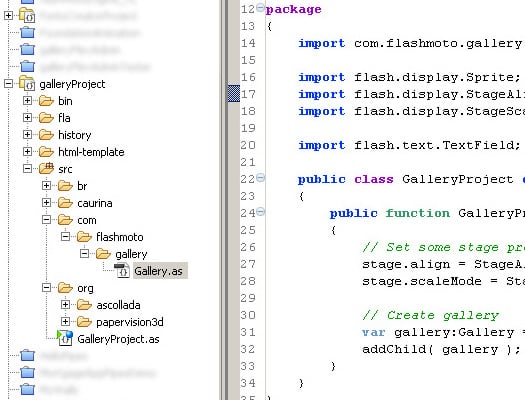
P.S. you could say that code is still raw and features still to be realized (like progress bars for images, image names, navigation bar). I’d like to let you know that it’s just the beginning sooner or later I’ll make a full functional 3D Flash Gallery and share it with you. I’m all open for your spam comments and ideas.

P.S.S. as i’ve told you here is a papervision gallery tutorial.
38 responses to “Papervision 3D Flash Gallery”
Leave a Reply





Very nice gallery. And the effect is unique.. Congrats..
the picture selection is a bit weird .. since i cant select only the first image .. and none of the ones at the back … i must click to see the first image and then move on to the next
[…] ОФ. сайт […]
solomongaby,
As I have already said this is just basic gallery to show how you can make papervision stuff. Thank you for you comment I will try to add additional functionality for image browsing in the next posts, thank you!
[…] cool Flash Galleries with the help of 3D. As promised, today I’ll try to explain how to make papervision gallery. At the end we’ll get something like this – awesome papervision flash gallery. Probably at this […]
[…] е 3D Flash галерия създадена с Papervision 3D. Галерията използува XML файл за […]
[…] November 15, 2008, 23:50 This news item was posted in Resources category and has 0 Comments so far. This is a 3D Flash gallery built with Papervision […]
Very cool tutorial… your code commenting was impeccable and really helped me learn a lot. Now if I can just trade out the images for mc’s or loaded swf’s I will really be excited!
[…] Questa è una splendida 3D Flash gallery realizzata con Papervision 3D. Usa XML come database […]
[…] http://www.flashmoto.com/flash-galleries/papervision-3d-flash-gallery/ Demo: Checkout the […]
ah thanks I’m learning something today. after some playing around I’m gonna be a pro. LOL.
thank you
[…] Visit: http://www.flashmoto.com/blog/flash-galleries/papervision-3d-flash-gallery/ […]
The movement is really nice no sorting issues either. I was initially trying to click items behind the first one and realised that this was not possible, kind of counter intuitive but I understand you were getting the concept across.
Thanks for sharing this with everyone, it all helps in learning the black art of Papervsion.
[…] Papervision3D Flash GalleryThree-dimensional image gallery is a good way to enrich your website with interactivity and visual attractiveness. This is a very detailed and informative tutorial on how to create a Papervision3D Flash gallery. […]
[…] Papervision3D Flash GalleryThree-dimensional image gallery is a good way to enrich your website with interactivity and visual attractiveness. This is a very detailed and informative tutorial on how to create a Papervision3D Flash gallery. […]
[…] Papervision3D Flash GalleryThree-dimensional image gallery is a good way to enrich your website with interactivity and visual attractiveness. This is a very detailed and informative tutorial on how to create a Papervision3D Flash gallery. […]
[…] Papervision3D Flash GalleryThree-dimensional image gallery is a good way to enrich your website with interactivity and visual attractiveness. This is a very detailed and informative tutorial on how to create a Papervision3D Flash gallery. […]
[…] Papervision3D Flash Gallery Three-dimensional image gallery is a good way to enrich your website with interactivity and visual attractiveness. This is a very detailed and informative tutorial on how to create a Papervision3D Flash gallery. […]
excellent tutorial
[…] Papervision3D Flash Gallery […]
[…] Papervision3D Flash GalleryThree-dimensional image gallery is a good way to enrich your website with interactivity and visual attractiveness. This is a very detailed and informative tutorial on how to create a Papervision3D Flash gallery. […]
[…] Papervision3D Flash GalleryThree-dimensional image gallery is a good way to enrich your website with interactivity and visual attractiveness. This is a very detailed and informative tutorial on how to create a Papervision3D Flash gallery. […]
[…] Papervision3D Flash GalleryThree-dimensional image gallery is a good way to enrich your website with interactivity and visual attractiveness. This is a very detailed and informative tutorial on how to create a Papervision3D Flash gallery. […]
[…] Papervision3D Flash GalleryThree-dimensional image gallery is a good way to enrich your website with interactivity and visual attractiveness. This is a very detailed and informative tutorial on how to create a Papervision3D Flash gallery. […]
[…] Papervision3D Flash GalleryThree-dimensional image gallery is a good way to enrich your website with interactivity and visual attractiveness. This is a very detailed and informative tutorial on how to create a Papervision3D Flash gallery. […]
Cool, pour les effets t’as du en passer des heures à coder tout ça, ça rend bien un peu trop peut être mais beaucoup de gens aime ça aujourd’hui. Seul problème, on peut pas naviguer dans ta galerie… première image par première image, c’est un peu revenir dix ans en arrière. En ajoutant un simple MOUSE_WHEEL event ou encore mieux left/right avec les arrows key quand même… moi je dis ça, je dis rien mais ça serait quand même profitable à tout le monde. Merci pour les sources on va pouvoir upper ça avec un peu de temps.
Thank you.
Thanks a lot. One of the best tutorial I could find on papervsion that explains how to code the effects!. And the comments in the code are great!!
thank’s
excelent!!, thanks!
Nice! Thanks for sharing. i like the 3D effect yesterday i make a 3d flash banner with a free software. My friends say that very beautiful!
If there is a need of free software, I can share it. http://www.aneesoft.com/win-3d-flash-gallery.html
Remember to download from the official website, no malware/spyware/trojans !
[…] 3D Flash gallery 项目主页 | 3D Flash gallery 项目下载 | 3D Flash gallery 中文支持 […]
I have been surfing online more than three hours today, yet I never found any interesting article like yours. It’s pretty worth enough for me. In my opinion, if all webmasters and bloggers made good content as you did, the internet will be much more useful than ever before.
[…] very detailed tutorial from FlashMoto gives exhaustive answers to the question “How to make a Papervision 3D gallery […]
[…] Papervision 3D Flash Gallery (35) […]
I am finding it a little hard learning to set up this Pv3d. there seem to be different ways…I am not giving up though
Google
The time to study or visit the subject material or websites we’ve linked to beneath.