

Add 3D only when a product’s shape, configuration, or hidden details affect the buying decision; skip it for items good photography already explains.
A small online store is preparing a redesign. The current website works, but the product pages feel ordinary. Competitors are using larger images, video backgrounds and interactive elements, so the team begins discussing a 3D product viewer.
The idea sounds like an obvious upgrade. But for many websites, adding interactive 3D increases development time and page weight without helping visitors make better decisions.
This is the central question facing many website owners. Adding 3D content is technically possible, but that does not mean it will improve every page. A three-dimensional model is valuable when it helps visitors understand something that photographs, copy and video cannot communicate as clearly. When it is added mainly for visual novelty, it can become another element competing for attention.
Website performance should also be part of the decision. Large interactive assets can increase loading times, particularly on mobile devices, affecting both user experience and search performance. If a 3D model slows down a page without improving product understanding, the trade-off may not be worthwhile.
3D Content Works Best When Shape Influences the Decision


Some products are difficult to understand from one or two photographs. A customer may need to see their depth, rear design, internal layout or relationship between separate components.
Furniture is an obvious example. A front-facing image may show the material and style of a chair, but it does not fully explain the depth of the seat, the angle of the back or the visual weight of the frame. Lighting products, electronics, toys, decorative objects and unusual packaging can create similar problems. By contrast, a coffee mug or notebook rarely benefits from interactive viewing because buyers can usually evaluate size, materials, and appearance through high-quality photography.
In these cases, a rotatable model may answer a real customer question. It gives visitors control over the viewing angle and can reveal areas that would otherwise require a long image gallery.
The same logic applies outside ecommerce. An industrial designer may use a 3D object to present a concept. An architect may show a custom decorative element. A game artist may display a model from several angles in a portfolio.
The value comes from improved understanding. The model is not simply decorating the page.
A Product Does Not Need 3D Just Because It Is Physical
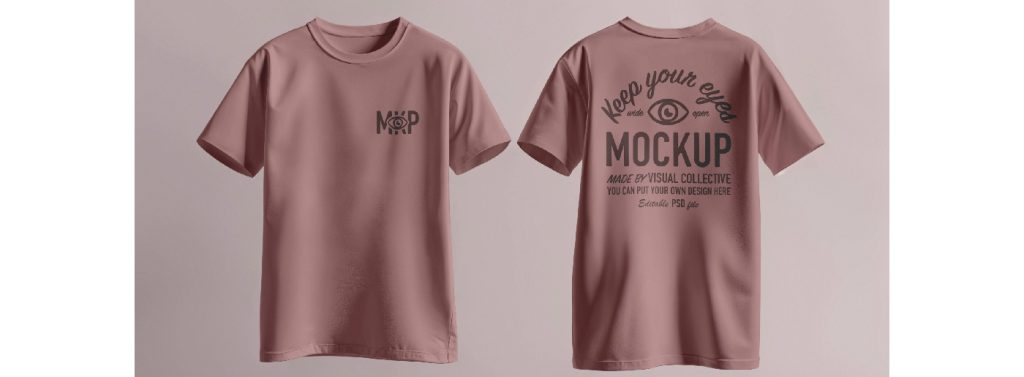
Many physical products are already easy to understand through good photography. Investing in high-quality product photography often provides a greater return than adding interactive elements for products with simple shapes.
A notebook, T-shirt, candle or bag may benefit more from accurate lifestyle images, close-up material photographs and a clear size reference than from an interactive model. A 3D version could technically be created, but it might not answer any important question.
Website owners should therefore avoid treating 3D content as a universal upgrade for an entire catalogue. It is usually more effective when applied selectively to products with complicated forms, configurable components or details that are difficult to photograph.
The distinction becomes clearer when the business asks a simple question:
What uncertainty will disappear after the visitor rotates the model?
If there is no clear answer, the website may not need the model.
Visual Novelty Has a Short Life
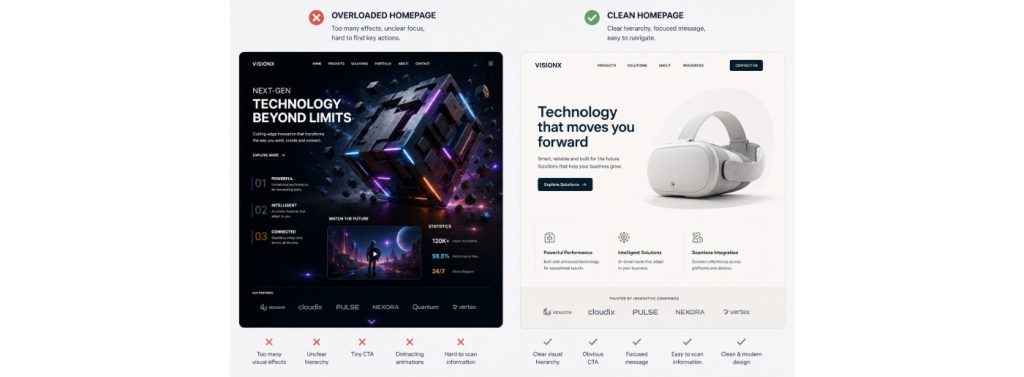
A dramatic 3D object can attract attention when a visitor first opens a page. That effect does not automatically translate into better communication.
On a homepage, the object may compete with the headline, primary call to action and navigation. An elaborate animation may delay access to price, specifications or purchase options on a product page. On a mobile phone, the same experience may become slower or harder to control.
This does not mean 3D content belongs only on product pages. A well-designed model can support a homepage, campaign page or creative portfolio. However, it should have a clear editorial role.
It might demonstrate how a product opens, reveal an object assembled from several components or provide an interactive preview of an artwork. The page should still work when the model is unavailable or when the visitor chooses not to interact with it. Effective website design treats 3D as one communication tool among many, using it only when it adds information that static images or video cannot provide.
The Right Question Depends on the Page
The same model can be useful in one part of a website and unnecessary in another.
| Page or context | When 3D adds value | When a simpler format may be better |
| Product page | Shape, configuration or rear details affect the purchase decision | The product is already clear through photographs |
| Homepage | The object immediately explains the offer or brand | It functions only as decoration |
| Portfolio | Visitors need to inspect craftsmanship or form | The work is primarily graphic or two-dimensional |
| Landing page | Interaction supports one focused campaign message | It distracts from the call to action |
| Technical page | The model clarifies parts or assembly | Exact diagrams and specifications are more useful |
| Mobile experience | The file is optimized and controls are simple | Loading and interaction become difficult |
The purpose of this table is not to produce a universal rule. It is to remind website owners that the decision should be made at page level, not only at brand level.
Start with One Asset, Not a Full Website Redesign
The safest way to evaluate 3D content is to run a limited pilot.
Choose one product or object that genuinely benefits from multiple viewing angles. Place it on a secondary page or a controlled product-page section rather than rebuilding the entire website around it.
The pilot should reveal whether the model is accurate, useful and manageable. It should also show whether the team can update the asset when the product changes.
A business that begins by converting dozens of products may discover too late that the models are inconsistent, too heavy or difficult to maintain. Starting with one carefully selected asset creates a much clearer test.
Creating a Model from Existing Visual Material

Many small teams already have product photographs, concept images or illustrations but do not have a dedicated 3D content department.
Meshy AI can be used to create an initial textured 3D model from written ideas or visual references. For a website project, its main value is giving the team a model to evaluate before committing to a larger production process.
When a product or artwork has already been photographed or illustrated, an image to 3D workflow can provide a practical starting point. The resulting model can then be inspected from several angles and adjusted for the intended webpage, with a web hosting control panel providing an efficient way to manage the website and its content.
The original image still matters. A clean photograph with one clearly visible object generally gives the process more useful information than a crowded lifestyle scene. If the reference only shows the front, the rear and hidden areas will still require review because the model must interpret what the image does not contain.
This is why the first output should be considered a working asset, not automatic proof of accuracy.
Website Models Need a Different Kind of Preparation
A model created for a high-quality render may be too large for a webpage. The website version needs to balance appearance with loading speed and interaction.
Unnecessary internal geometry and details that cannot be seen on a phone may add weight without adding value. Large textures may look impressive on a workstation while making the mobile experience frustrating. Materials that work in one rendering environment may also appear different in a browser-based viewer.
The team should review the asset in the context of the real page. It needs to sit beside headings, descriptions, buttons and other media without overwhelming them.
This is also where web design and 3D production meet. The model creator may focus on form and materials, while the website designer must consider layout, responsive behavior, accessibility and fallback content.
3D Should Not Hide Missing Product Information
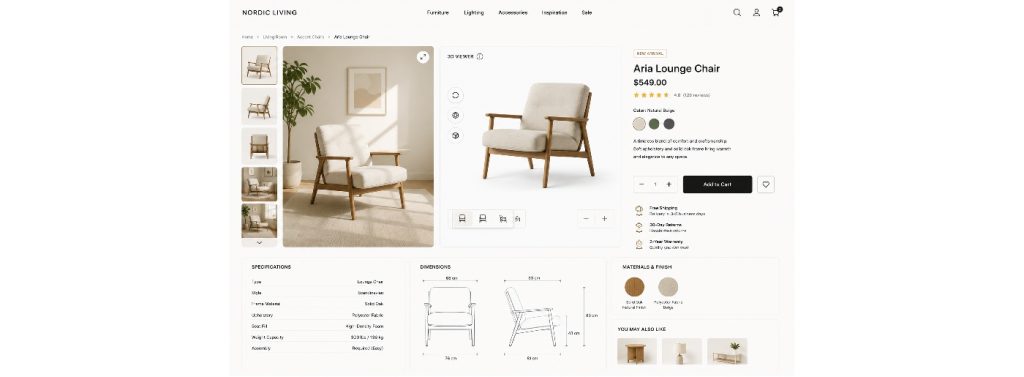
An interactive model does not replace accurate specifications.
Customers may still need dimensions, material descriptions, compatibility information, care instructions and real product photography. In some cases, the model may be a visual concept rather than an exact digital representation of the final item.
The website should make that distinction clear.
A model that looks realistic can create a strong expectation about color, texture and scale. If the physical product differs noticeably, the quality of the interaction will not compensate for the inaccurate impression.
For this reason, public-facing models should be checked against the final product or approved design files whenever accuracy affects the purchase decision.
Think Beyond the First Interaction
The cost of adding a model is not limited to creating it.
The business also needs to consider what happens when the product is revised, the website theme changes or a new mobile layout is introduced. A model may need to be resized, re-exported or updated to match new colors and components.
There is also the question of reuse. A strong 3D asset may support more than one webpage. It could be rendered into product images, used in a launch video, included in a presentation or adapted for social content. Businesses showcasing concepts to investors or clients should also consider how clear visuals and presentation slide design work together to communicate ideas effectively.
Reuse can make the investment more practical, but only when the asset has been organized and approved carefully.
Frequently Asked Questions
Does a 3D model improve website conversion?
It may improve product understanding or engagement, but it should not be assumed to increase conversion automatically. The business should test the relevant page and compare customer behavior before drawing conclusions.
Should every product in an online store have a 3D viewer?
No. Products should be selected according to whether multiple viewing angles or interactive inspection solve a real customer problem. Good photography may be more effective for simpler items.
Can an AI-generated model be added directly to a website?
It should first be checked for visual accuracy, file size, materials, browser compatibility and mobile performance. The level of preparation depends on the viewer and the role of the model on the page.
What should a website show if the model does not load?
The page should retain useful fallback content, such as product images, text descriptions or a video. Visitors should not lose access to essential information because an interactive feature is unavailable.
Use 3D Where It Explains More
A website does not become more useful simply because an object can rotate.
The strongest use of 3D content begins with a communication problem: a shape is difficult to understand, a configuration is hard to explain or a creative work deserves to be examined from several angles.
When the model solves that problem, it becomes part of the content. When it does not, it is usually another effect competing with the page.
The most effective websites use every visual element with purpose. Interactive 3D models should help visitors answer questions, understand products more clearly, or explore details that other media cannot show. When they achieve those goals, they become a valuable part of the user experience rather than simply another design feature.