
When you need to execute a contract, submit a freelance agreement, or complete a vendor form, hitting a paywall on a heavy desktop editor like Adobe Acrobat can derail your workflow. Printing, physically signing, scanning, and re-uploading a document is not only inefficient, but it also creates unnecessary friction in modern digital operations.
Small business owners, web administrators, and remote teams often ask: Can you legally sign a PDF without installing expensive desktop software?
The short answer is yes. Electronic signatures can be legally valid without Adobe Acrobat, but the requirements depend on the jurisdiction, transaction, and type of electronic signature used. This guide breaks down the legal validity of browser-based digital signatures, walks through a step-by-step execution process, and explains how to manage high-compliance document workflows without paying for bloated software subscriptions.
Are Browser-Based PDF Signatures Legally Binding?
A common misconception is that a document must be signed using enterprise desktop software to hold weight in court. In the U.S., electronic-signature laws generally focus on three key factors:
- Intent to sign: The signer must clearly intend to sign the document electronically.
- Consent: When required, the parties must consent to conduct the transaction electronically.
- Association with the record: The signature must be logically associated with the electronic document being signed.
Specific requirements can vary depending on the transaction and applicable state or federal law.
How to Sign a PDF Online for Free (Step-by-Step)
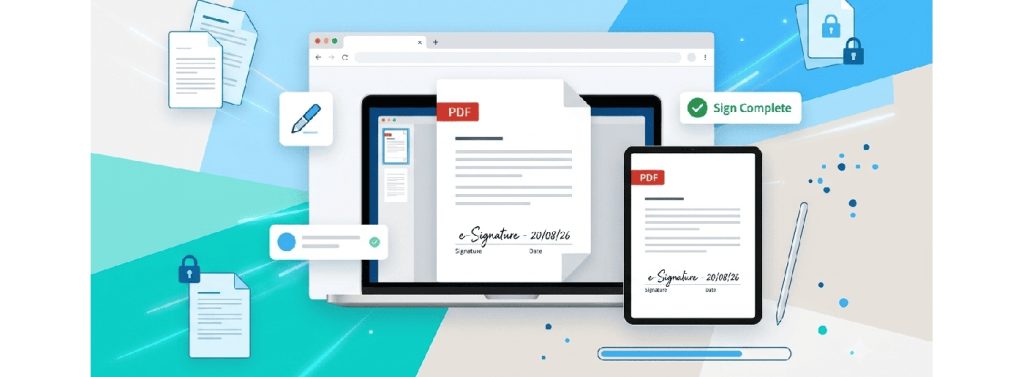

For a simple document, signing in your web browser can take only a few steps. Follow these simple steps:
- Upload Your PDF: Navigate to a web-based e-signature application and upload the document directly from your device, Google Drive, or Dropbox.
- Place Signature Fields: Select where your signature, initials, full name, or execution date need to appear on the document pages.
- Draw, Type, or Upload Your Signature: Use your mouse, stylus, or touchscreen to draw a handwritten signature, type your name using a stylized digital script, or upload a pre-saved PNG image of your actual signature.
- Apply and Download: Confirm the signature placement and export the finalized, flattened PDF to your device.
If you want a detailed walkthrough on setting up signature fields, managing multi-party approvals, and executing documents in your web browser, check out this step-by-step guide on signing PDFs online.
Ensuring Security for Online Document Signatures
While web-based document editing saves time and operating expenses, transmitting sensitive contracts across the internet requires strict adherence to web security protocols.
When handling administrative tasks online without traditional desktop installations, strong website security practices are vital to protecting client privacy. Web applications that process your files must protect data both at rest and during transfer.
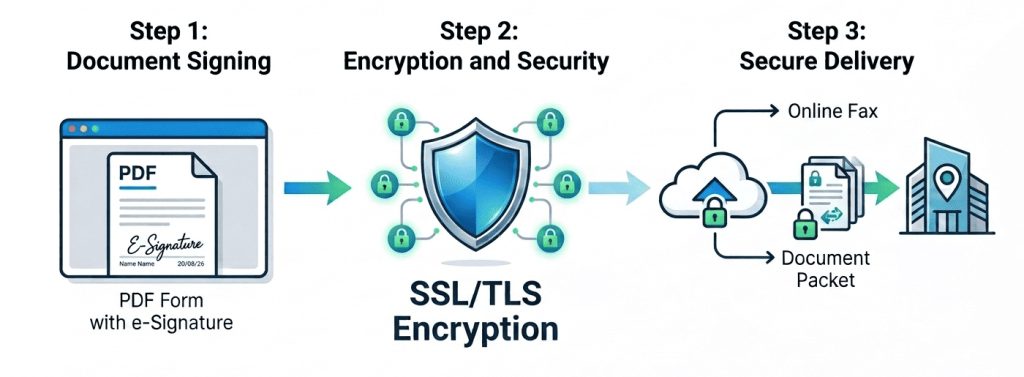
When reviewing web tools for managing documents, ensure the platform relies on encrypting data in transit using modern SSL/TLS protocols. When choosing an online signing tool, look for HTTPS connections and clear information about how the service protects files both in transit and at rest. Also check how long documents are stored, who can access them, and whether you can delete them after signing.
High-Compliance Workflows: Combining Signing and Secure Transmission
For professionals handling legal agreements, medical intake forms, or financial disclosures, signing a PDF is often only half the battle.
In highly regulated industries, recipient entities often require completed documents to be returned via secure cloud fax networks rather than standard email attachments. For some organizations, secure fax services are still part of document workflows, particularly where recipients have established fax-based processes. The security and compliance features available depend on the specific provider and configuration.
Jumping back and forth between separate applications—using one web tool to sign a file and another to transmit it—creates operational delays and potential security gaps.
Adopting a cloud-based online fax service like iFax with built-in e-signature integration features solves this problem. It lets administrative teams, healthcare providers, and legal professionals legally sign, verify, and transmit confidential records to legacy or corporate systems in a single, secure, compliant step.
Taking Next Steps: Choose a Signing Tool That Fits the Document
Now that you know how to sign a PDF without desktop software, the next step is choosing a tool that fits your document and workflow.
Start by identifying the document bottlenecks in your daily operations. Are you losing time chasing signatures manually, struggling with incompatible desktop software, or trying to meet strict transmission security requirements?
To streamline your daily tasks, start by testing free web tools for simple contract execution. As your operational needs grow, consider consolidating your tool stack into unified platforms that handle both legally binding sign-offs and compliant document delivery in one place. For many routine documents, a browser-based signing workflow can reduce the need to install and maintain dedicated desktop PDF software.
Frequently Asked Questions
Q1: Is it legal to draw a signature on a PDF using a mouse or touch screen?
It can be. In the U.S., an electronic signature generally cannot be denied legal effect simply because it is electronic, but the requirements depend on the transaction and applicable law. In the EU, eIDAS recognizes electronic signatures at different levels, with qualified electronic signatures receiving the same legal effect as handwritten signatures.
Q2: Can I sign a PDF electronically without installing Adobe Acrobat?
Yes, you can sign a PDF electronically without installing Adobe Acrobat by using browser-based e-signature software like Fill. These web applications allow you to upload a PDF, add signature fields, execute your mark, and download the signed document without installing desktop software or purchasing a paid subscription.
Q3: What is the difference between an electronic signature and a digital signature?
An electronic signature (e-signature) refers to any electronic mark, sound, or process attached to a document to demonstrate intent to sign. A digital signature is a specific, highly secure category of e-signature that uses cryptographic algorithms and public key infrastructure (PKI) certificates to verify the signee’s identity and guarantee the document was not altered after signing.
Q4: Why do some organizations require signed documents via fax instead of email attachments?
Some organizations still use fax because their existing workflows or counterparties rely on it. In healthcare, HIPAA does not prohibit faxing, but organizations must use reasonable safeguards to protect patient information. Whether fax is required depends on the organization and the specific workflow.