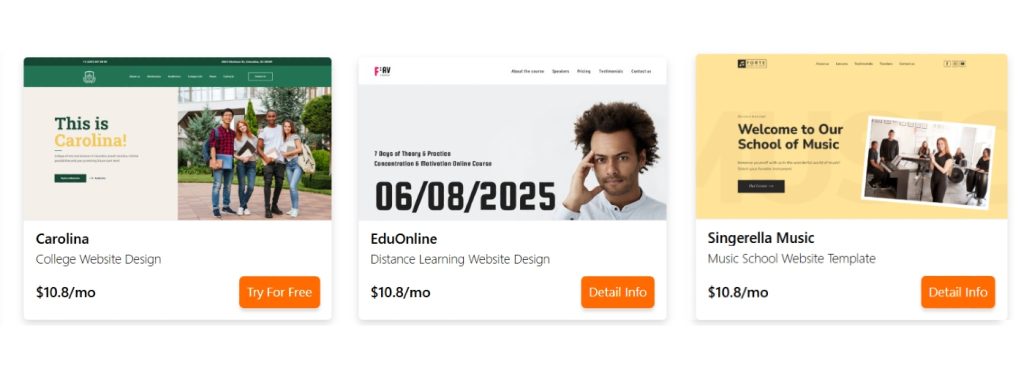
An education website serves various purposes for educational brands or institutions. Since sites contribute to your organization’s professionalism, you must build them properly. Besides drawing in prospective students, they connect users with these institutions.
Unfortunately, building an education website is not the easiest thing to do. Website developers and institutions must consider several factors when working on these projects. Keep reading to discover the education website best practices.
The Common Types of Education Websites


Photo courtesy of Unsplash
It might be necessary to know the types of education websites before you start building yours. Instead of using a single style for each institution or brand, developers now create multiple styles tailored to different learning styles and subjects. So, let’s dive into six common types.
Online Learning Platforms
Most people who study educational content and resources use these learning platforms. Students can easily go through video lessons and complete interactive quizzes. They can also do their assignments on these platforms.
Tutors can also discuss with their students using these platforms. If you’ve completed any programming lessons online, chances are you might have used something similar. The ones designed for educational courses help students stay on track in their studies.
Skill Development Platforms
Individuals can gain practical experience for specialized jobs on online skill development platforms. They support structured courses, video tutorials, quizzes, and certificates. If you’re designing courses on digital marketing, design, coding, and communication, go for this option.
Skill development platforms cater to students, professionals, and career changers with flexible learning opportunities. Hence, they connect traditional education and changing demands in various industries.
Language Learning Websites
Tutors who wish to help students learn and master new languages can opt for these kinds of sites. They are designed with vocabulary exercises and conversational practice. Others also have pronunciation guides and grammar lessons.
Institutions can use their sites alongside language class scheduling software to manage students and lessons more effectively. Some language learning websites use gamification to keep learners engaged. They effectively make language acquisition flexible and appealing.
Test Preparation Websites
Websites for test preparation help people learn better and write exams more confidently. People can use these sites to build knowledge and skills when sitting for standardized exams like the following:
- SAT
- IELTS
- Praxis Exams
- LSAT
These websites offer practice tests, study guides, and timed quizzes to understand your tests and weaknesses. Many prep websites include video lessons and expert tips to increase your confidence.
Tutoring Websites
With tutoring websites, students can have dedicated learning coaches available to offer tailored instruction and one-on-one support. These sites allow users to check tutor profiles and filter by teaching styles and subject expertise.
People who need global tutors, along with flexible schedules, might prefer these sites. The tech features and expert teachers can effectively improve understanding, boost confidence, and help learners succeed in their academics.
Online Course Marketplaces
Another type of education website, online course marketplaces, allows instructors to create and sell courses worldwide. These platforms usually contain courses on various subjects, including writing, coding, and photography.
Learners can browse, buy, and access these courses anytime, since they often contain videos and quizzes. These marketplaces offer public user reviews and ratings. This means students can buy high-quality courses that meet their needs.

Photo courtesy of Unsplash
Must-Have Features for an Engaging Education Website
When looking to build an education website, focus on making one that stands out. Besides focusing on the visual appeal, you must add several important features that will improve the learning experience. Here are some important elements you should add to the site:
Responsive Design
Students may need to access their courses on different devices, so you should prioritize a responsive design. People are increasingly accessing the internet and learning with multiple devices, including laptops, tablets, and smartphones. A responsive design makes a site adaptable to different screen sizes and more flexible. This means it will be smooth for all classes of users; you’ll be able to market your website more effectively.
Interactive Learning Tools
Interactive online education tools capture learners’ attention and can turn the learning process into a rewarding and enjoyable experience. Since interactive tools encourage practical exploration and hands-on activities, they go beyond simply reading. This improves a deeper understanding of the subject at hand and improves knowledge retention.
These tools include the following:
- Games
- Quizzes
- Simulations
- Drag and drop activities
- Flashcards
User-Friendly Navigation
Most people leave websites once they cannot easily find what they’re looking for. A friendly navigation helps to keep them engaged, stopping them from missing the information you offer. Logical categories and clear structures will make the site more welcoming. Search engines also prioritize properly-organized sites, helping them rank higher than the competition.
Secure User Accounts
Every education website must be able to secure its user accounts. This helps to protect people’s personal data, progress, and payment details. Security features ensure that only authorized users access important information. Security builds trust, creates a safe learning environment, and helps educators monitor their performance while keeping information private.
These security features include the following:
- Encrypted logins
- Role-based access
- Two-factor authentication
- Secure payment gateways
- Firewall protection
Intuitive Search Function
When people visit educational websites, they search for specific courses and resources. That is why you should add an intelligent search feature to help them find what they’re looking for. They’ll also be able to access the information they need without breaking a sweat.

Photo courtesy of Unsplash
Top Tips to Build an Effective Education Website
Content is usually the most important factor when it comes to education websites. However, how the site works and looks is also important. So, here are five important tips for creating an engaging site and making it better for learning:
Create Adaptable and Flexible Designs
Focus on flexible and adaptable designs when trying to create an engaging education website. These sites should be able to fit all devices and screen sizes. Use responsive layouts, modular content blocks, and customizable themes to achieve this. In addition to creating a consistent experience for different learners. This makes it easier to access courses, resources, and tools.
Focus on an Inclusive Design
When building an education website, use an inclusive design that meets the different needs of users. Choose accessible color schemes, alt text for images, clear fonts, and friendly navigation. Add other features like adjustable text sizes and screen reader compatibility. This way, you’ll ensure that all users benefit from online learning.
Properly Organize the Information
Organize information logically and clearly on your website. People who use intuitive headers, menus, and categorized sections to guide users smoothly through the content record the best results. Add filters and search functions to help people find resources quickly. A clean layout improves the overall learning experience.
Allow Global Access for Students
When building an education website, enable global access so that students worldwide can learn anytime. Use cloud-based hosting, multilingual support, and region-friendly content delivery networks to reduce load times. Adding currency and timezone options also removes location-based barriers, attracts diverse learners, and creates a connected international learning community.
Ensure Readability and Visual Appeal
Focus on the visual appeal and readability when building an education website to make it more engaging. Clean layouts, consistent fonts, and balanced white space all make it easier to understand text.
Endnote
You might be trying to create an engaging education website. Use a responsive design, interactive tools, intuitive navigation, secure accounts, and a proper search function. Then, focus on inclusivity, adaptability, and flexibility. Finally, organize the information, allow global access, maintain readability, and ensure visual appeal.
Check our templates for education website – 20+ universal examples!