
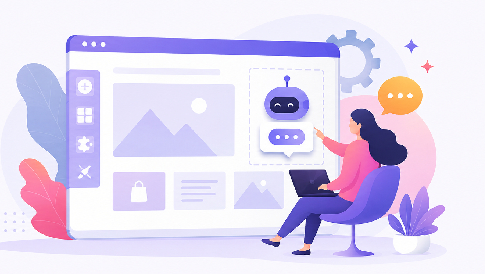
Small businesses add AI support to their website by using no-code chatbot platforms and website plugins that install with a copy-paste snippet or a one-click app from their site builder. Most of these tools let you connect existing content, including FAQs and product pages, so the AI can use that information when answering visitors.
In practice, the whole thing has shifted from a development project to a configuration task. You are no longer hiring someone to build a bot from scratch; you are picking a service, pointing it at your website, and adjusting the answers it gives. For a basic setup, anyone comfortable managing a Shopify, WordPress, Wix, or similar website can often handle the installation without a developer.
How No-Code AI Support Works
These tools sit on your website as a chatbot, usually in the bottom corner, and answer visitor questions using your own content as the source. You feed them your help pages, product descriptions, shipping policies, and past support emails, and the AI uses that material to answer questions based on your own information rather than relying on generic responses. When it cannot answer, it hands the conversation to a human or captures the visitor’s email so nobody is left stuck.
How to Add AI Support to Your Website
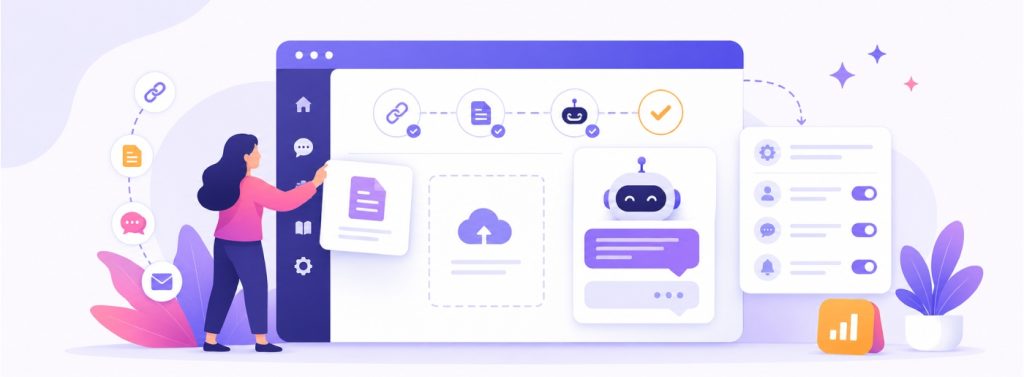
The setup process is deliberately simple because the companies selling these tools know their customers are not technical. You sign up, paste your website URL so the system can crawl and read your pages, review the answers it generates, and then install the widget. This is part of the broader shift toward no-code website building, where small businesses can manage more of their online presence without relying on developers. On platforms like WordPress, Wix, MotoCMS, Squarespace, and Shopify, installation is often as simple as adding an app or dropping a small snippet into the site header, which most builders let you do through a settings panel.
Training is where you actually shape the thing. A good tool lets you upload documents, add specific question-and-answer pairs, and correct wrong responses so the bot improves over time. These systems are most useful for repetitive questions about products, pricing, shipping, availability, opening hours, and other information already covered on your website.
What It Costs and How Long Setup Takes

Pricing for small business AI support usually runs on monthly subscriptions rather than big upfront fees. Costs can vary based on features, usage, conversations, seats, or the number of automated resolutions. Many providers offer a free tier or trial that covers a low volume of chats, which is enough for a small shop to test whether the answers hold up before paying anything.
Setup takes hours, not weeks. A basic install where you connect your site and turn the widget on can be done in a single sitting, maybe an hour or two including the account creation. Getting it genuinely good, where the answers are accurate and the tone matches your brand, takes a bit longer because you are reviewing responses and correcting the ones that miss. A basic setup can take an afternoon, while getting the responses consistently accurate may require several rounds of testing and adjustment.
The cost picture shifts depending on what you sell and how much you talk to customers. A local service business fielding a handful of questions a day may need only a basic plan. A busy e-commerce store handling hundreds of chats may pay more, but the potential time savings are also greater because that volume would otherwise require significant staff time. The math favors automation most where the questions are repetitive and high in number.
How to Choose the Right AI Support Tool
The best choice depends less on which platform is objectively strongest and more on where your website already lives and what you need the bot to do. If you run a Shopify store, a Shopify-native tool may connect directly to product and order data, allowing it to handle questions such as “Where is my order?” without requiring a customer-service employee to check manually. A service business that mostly needs to book appointments wants something that integrates with a calendar, not a shopping cart.
It helps to be honest about how much you want the AI to actually do versus just deflect. Some tools are simple FAQ answerers, fine for a small site with predictable questions. Others handle full conversations, take actions like processing a return or checking an order status, and escalate cleanly to a human when needed. Comparing the leading AI customer service tools side by side is the fastest way to see which ones match your platform and your budget before you commit to a monthly plan. For businesses looking to automate more of the support workflow, customer service automation software can also help streamline repetitive tasks and support processes.
Language and region matter more than people expect. If your customers write in multiple languages, you want a tool that handles that natively rather than one bolted on as an afterthought, and the same goes for currency, local phone formats, and regional spelling in the responses. A bot that answers a British customer in American English about the wrong shipping options reads as careless, and small businesses cannot afford to look careless. Check that the tool matches your actual audience before you judge it on features.
How to Keep AI Support Accurate
The biggest mistake is switching on a chatbot and leaving it unattended. Review conversations during the first few weeks, identify weak answers, and update the information behind them. This helps prevent incorrect responses from hurting the customer experience.
Set clear limits on what the AI can say, especially about refunds, prices, delivery dates, and other sensitive information. Let it handle routine questions and hand off anything it cannot answer confidently to a real person.
Provide a reliable human handoff through email, live chat, or another support channel. Start with a small set of common questions, review the results, and expand the AI’s role as its answers become more reliable.