
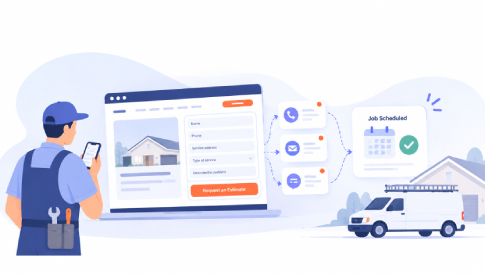
A home service website can bring in traffic, phone calls, and form submissions. That is a good start, but it is not the finish line.
For an HVAC company, plumber, electrician, roofer, landscaper, or other local contractor, the real goal is to turn the right inquiries into scheduled work. A visitor may be ready to hire, but if the request sits in an inbox or the next step is unclear, that opportunity can disappear quickly.
A better process connects your website, follow-up, and scheduling so every inquiry has somewhere to go. Let’s take a look at how home service contractors can turn more website leads into booked jobs.
Make It Easy for Visitors to Contact You
A homeowner visiting a contractor website usually has a specific problem. The air conditioner stopped cooling. A pipe is leaking. The roof needs attention. Often, that person wants to know three things quickly: Can you solve the problem? Do you serve their area? How can they reach you?
Your phone number and contact form should be easy to find on important service pages. Use clear calls to action such as “Schedule Service,” “Request an Estimate,” or “Book an Appointment.”
Mobile usability matters too. Someone standing next to a leaking water heater is more likely to be using a phone than a desktop computer. Buttons should be easy to tap, forms should be short, and phone numbers should be clickable.
Keep Website Forms Simple


A contact form should help your team understand the lead without making the customer fill out an application.
For many service businesses, you only need a few details at first:
- Name
- Phone number or email
- Service address or ZIP code
- Type of service needed
- Short description of the problem
- Preferred appointment time, if appropriate
Additional questions can be useful when they affect scheduling, but avoid collecting information simply because you can. Every unnecessary field adds effort for the visitor, so use the EAS framework to keep the form focused on what is actually needed.
Treat the Form Submission as the Beginning
A completed form is not the final goal. It is the beginning of the sales process.
Once the lead arrives, somebody needs to own it. Your team should know where the inquiry came from, what the customer needs, who should follow up, and what happens next.
When website leads are scattered across email accounts, texts, spreadsheets, and handwritten notes, something eventually gets missed.
Every inquiry should enter one place and receive a clear status such as New, Contacted, Estimate Scheduled, Booked, or Lost. As lead volume increases, lead management software can help keep inquiries, customer information, follow-up activities, and the path toward a scheduled job organized in one system.
Respond While the Customer Is Still Looking
Home service website leads often move quickly, especially when the problem is urgent.
A homeowner with a broken furnace, backed-up drain, or electrical problem may contact several companies. If your business waits until the end of the day to respond, another contractor may already have won the booking.
You do not need someone staring at an inbox every minute. You do need a response process. During business hours, route new website leads to the employee responsible for booking and send a confirmation so the customer knows the request was received.
After hours, tell people what to expect. A short message explaining when your office will respond is better than leaving the customer wondering whether the form worked.
Qualify the Lead Without Making It Difficult
Not every inquiry will become a good job. Some requests may be outside your service area, involve work you do not provide, or require a timeline you cannot meet.
Qualification should still feel like customer service. Ask practical questions: Where is the property? What is happening? Is the system still operating? Is this an emergency or a planned project?
These questions help your team determine the next step while showing the customer that someone is paying attention.
Make Booking the Easy Part
Once you have a qualified lead, avoid putting unnecessary barriers between the conversation and the appointment.
If your office can schedule the job, schedule it. Offer available times, confirm the service address, collect any important access information, and explain what the customer should expect.
Avoid asking people to repeat information they already submitted online. Few things make a company feel less organized than requesting the same details again a few minutes later.
This is where the connection between your website and business workflow matters. A smooth handoff saves office time and creates a better customer experience.
Confirm the Appointment
Booking the job is not quite the end. Send a confirmation by email or text with the appointment date, time window, service address, and any instructions.
For longer sales cycles, such as roofing, remodeling, or equipment replacement, the next step may be an estimate rather than a service call. The same rule applies: make the next action clear and confirm it. For estimate-based work, set a follow-up date before the conversation ends so the lead does not disappear after the quote is sent.
Connect Marketing With Operations
Your website may generate the lead, but the customer experiences your entire company.
Marketing attracts the homeowner. The office answers. A dispatcher finds an opening. A technician visits the property. An estimate is prepared. The work is completed and invoiced.
When those steps are disconnected, customers notice. That is why a good service business website should do more than generate traffic. It should create a clean path into the operational side of the company.
Reducing manual data entry makes it easier to handle more website leads without creating more office work.
Track Booked Jobs, Not Just Website Traffic
Website traffic is useful, but traffic alone does not tell you whether your marketing is producing business.
Imagine one campaign sends hundreds of visitors to your site but produces few appointments. Another sends less traffic but consistently produces qualified website leads and booked jobs. The second campaign may be far more valuable.
Track leads beyond the form submission. Record where the inquiry came from, whether your team made contact, whether an appointment was booked, and whether the lead became a paying customer.
Over time, this can show which service pages, campaigns, and local search efforts bring in real customers instead of just clicks.
Look for Leaks in the Process
If your website generates inquiries but few become appointments, the website may not be the only problem.
Review the full journey. Are new inquiries answered promptly? Does somebody own each lead? Are qualified prospects offered an appointment? Does the team follow up on estimates? Do customers receive confirmations?
A weakness at any one of these points can reduce the return on the money and effort you put into SEO, advertising, website design, and content.
Final Thoughts
A contractor website has an important job: attract the right people and make it easy for them to contact your business. But the value of a lead depends on what happens after the visitor clicks “Submit.”
The process does not need to be complicated. Collect what you need, respond quickly, keep every inquiry visible, and give qualified prospects a clear next step.
When your website and office workflow support each other, customers get a more professional experience and your marketing becomes easier to measure. More importantly, the website leads you already worked hard to generate have a much better chance of becoming real jobs on the schedule.