

Creating a digital business card is very important to building a network today because it allows you to easily share contact information, interactive links, and branding through an easy-to-access method, without having to use a paper card. It’s also important to select the correct tool to create your digital cards so they look good and will be compatible on multiple devices.
In 2026, three popular platforms for creating digital business cards are Design.com, Zoviz, and WoiLink. Each offers tools for design and sharing, but they vary widely in customization, branding, flexibility, and overall capabilities.
The purpose of this comparison is to help you select which tool best meets your needs for creating digital business cards, and how Design.com has emerged as the number one option for most users.
What to Look for in a Digital Business Card Platform
A professional digital business card platform should provide:
- Ease of Design
- Brand Consistency
- Interactive Sharing
- Template & Asset Library
- File Flexibility
- Additional Tools & Extensions
1. Design.com
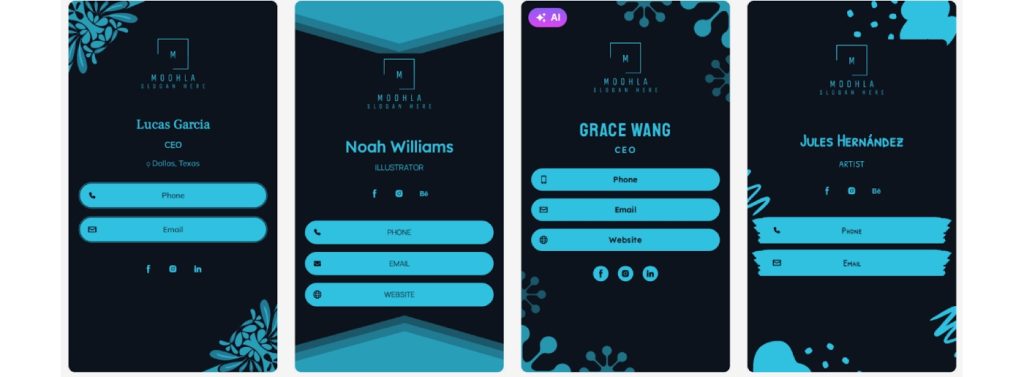

Design.com is an AI-driven design environment that provides so much more than just digital business cards. It brings together professional-looking design templates, AI assistance in editing, branding functionality, interactive ways to share designs, and even the ability to print designs.
It is perfect for businesses and professionals looking for a versatile and visually appealing online presence.
Digital Business Card Features
- Free and premium digital business card templates
- Customizable layouts with AI suggestions
- Ability to add logos, brand colors, fonts, and social links automatically
- Interactive elements like QR codes, clickable links, and social media buttons
- Integration with websites and other Design.com marketing assets
- Option to download in multiple formats: PNG, JPG, PDF, SVG, GIF, MP4
- On-demand printing on physical business cards, mugs, apparel, and more
AI-Powered Design Tools
- Logo generator powered by AI
- Website builder powered by AI
- Business Card Generator Powered by AI
- Flyer Builder Powered by AI
- Poster Builder Powered by AI
- Presentation Builder Powered by AI
- Background Remover powered by AI
- Business Name Generator powered by AI
- Edit your logo icons and text using AI through a simple chat interface
- Custom-trained AI to ensure your edited content does not infringe on copyright
Branding and Marketing Tools
- 50+ additional tools (websites, digital business cards, social media posts, presentations, flyers, posters, QR Codes, Menus, Letterheads)
- Automatically inherit logo colors across social media, print, and web templates for consistent branding
- Domain Registration with Your Logo
Downloadable Files
- Vector: SVG, EPS, PDF
- Raster: PNG, JPG
- Animated: GIF, MP4
- Icon Only or Transparent Background Options
Printing and Merchandise
- Print your logos and cards on cups, mugs, apparel (t-shirts, hats), mouse pads, etc.
- Free shipping for all printed items
User Tools and Support
- Create a list of favorite logos and vote on them through polling
- No experience needed; easy-to-use editing tools
- 24-hour a day/365 days a year email and live chat support
- Multi-Language Support (English, Spanish, French, German, Portuguese, Canadian French, Brazilian Portuguese)
- Multiple Currency Support (USD, AUD, GBP, EUR, INR, PHP, BRL, MXN, ZAR)
Additional Benefits
- Free Logos, Business Cards, Websites, Designs, etc.
- Free access to our website builder, free link-in-bio creator, and free digital business card maker
- Extended logo licenses for exclusive use
Why It Is Unique?
Design.com is the first digital business card platform to provide a complete AI-enabled creative ecosystem for businesses and professionals.
It offers a vast library of templates, easy-to-use AI-assisted editing, branding functionality to maintain a cohesive look and feel, the ability to easily print your designs, and interactively share your designs.
2. Zoviz
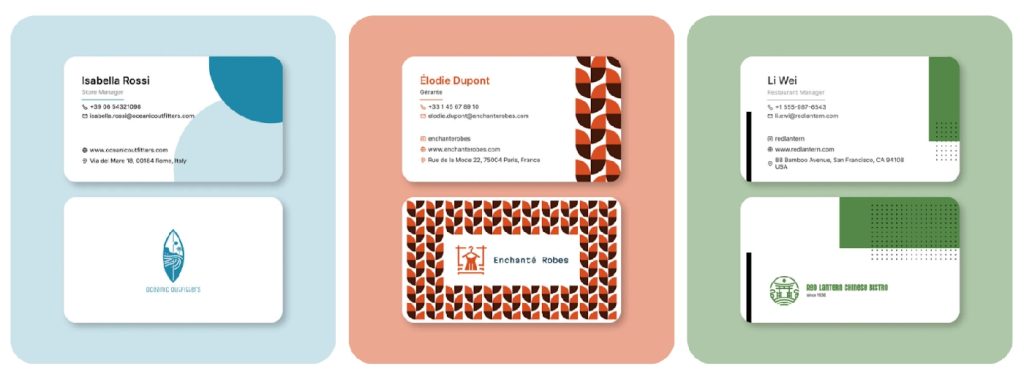
Zoviz is user-friendly and has a focus on creating and easily sharing your digital business cards. The ease of use and simplicity of Zoviz make it the perfect tool for an individual looking for a professional digital business card quickly.
What You Get?
- Pre-made templates that allow you to edit the text, font style, color scheme, and images for basic customization.
- QR Code generation and link based sharing to easily distribute the digital version of your card.
- A drag-and-drop interface to customize your card for simple edits.
- Optional feature to add social media links or a small logo/branding element.
Digital Business Card Features
- Pre-designed templates optimized for digital business cards
- Drag-and-drop editing for text, images, and brand colors
- QR code generation and link-based sharing for digital distribution
- Options to add social media profiles and clickable links
Strenghts
- Easy to set up, ideal for those needing a card quickly.
- Sharing the digital version of your card is seamless using QR Codes and links.
- You can personalize your card slightly for your own branding or small business branding.
Limitations
- Fewer branding options than Design.com.
- No AI-powered editing features and no advanced design tools.
- Does not have other marketing and/or print features.
Best For
- Individuals or Freelancers needing a simple digital card with little to no set-up time.
- Small Businesses needing a simple digital card with branding without having to have all the other tools.
3. WoiLink
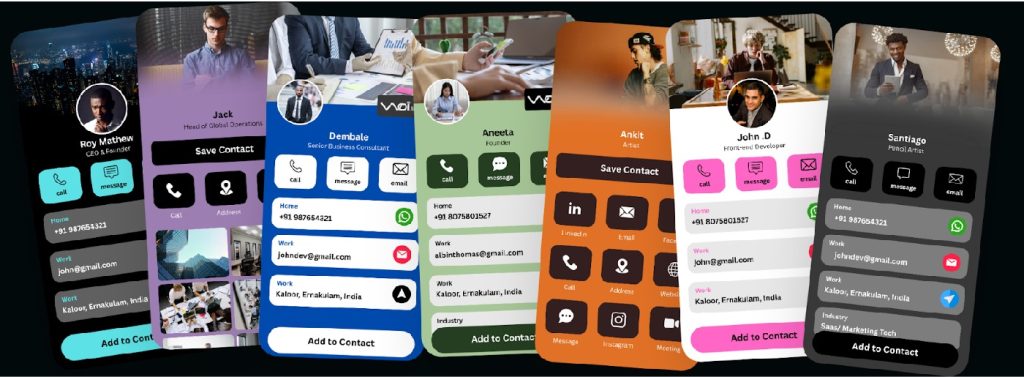
WoiLink offers a mobile-first experience for easy-to-create, easily-shareable digital business cards in an instant from anywhere with your smartphone.
What You Get?
- Digital Business Card Templates
- QR Code Contact Sharing & Mobile Optimized Contact Sharing (via Email Links)
- A Quick-to-Create, Edit-and-Go Design Interface
- Some degree of color, text, and image customization
Digital Business Card Features
- Standard templates optimized for mobile digital business cards
- QR codes, email links, and mobile-friendly formats for easy sharing
- Basic customization of text, colors, and images
- Simple card layout for fast creation during meetings or events
Strenghts
- Built specifically for busy, on-the-go professionals needing simple, rapid digital business card creation while away from their desks
- Quickly share contact information digitally without using complicated digital tools
- The Simple, Easy-to-Use Design Is Perfect for Mobile Users
Limitations
- Very limited options for customizing your brand and template.
- You cannot use AI to help edit your design, nor can you access Professional Design Assets.
- There are no digital printing capabilities, and there are no other digital marketing capabilities or integrations.
Who It’s Ideal for
On-the-Go Professionals Using Their Smartphones Attending Meetings and Events Who Need Rapidly Accessible Digital Business Cards.
Professionals Who Are Willing to Trade Advanced Design Features for Simplicity in Creating Digital Business Cards.
Quick Feature Comparison
| Feature / Platform | Design.com | Zoviz | WoiLink |
| Templates & Assets | 400k+ logos, 1M+ total templates, 750+ fonts, 62k+ vector shapes | Pre-designed templates | Standard templates |
| AI Tools | AI logo, text, business card, flyer, poster, website generators; background remover; copyright-safe AI | None | None |
| Brand Integration | Automatic brand colors, fonts, logos; brand kit; social/print/web inheritance | Limited | Minimal |
| Interactive Sharing | QR codes, links, social media integration | QR codes & links | QR codes & email links |
| Additional Tools | 50+ design tools, presentations, flyers, posters, websites, social media graphics | None | None |
| File Downloads | SVG, EPS, PDF, PNG, JPG, GIF, MP4; icon-only & transparent | PNG, JPEG | PNG, JPEG |
| Printing & Merchandise | Business cards, mugs, apparel, mousepads; free delivery | No | No |
| Support | 24/7 email & chat; multi-language & multi-currency | Email only | Email only |
Final Review
While Zoviz and WoiLink have helped many people create simple, easy-to-use digital business cards, Design.com has become the go-to option for professionals, entrepreneurs, and businesses seeking an elegant, flexible, and fully branded solution.
With its AI-powered editing, numerous template options, branding tools, interactive business card sharing, file format options, and on-demand printing capabilities, Design.com offers the most comprehensive platform for digital branding in 2026.
Create a consistent image of your company, enhance your professional image, and represent yourself consistently across all media using Design.com.
Feel free to check our article, Top Digital Business Cards for Professional Branding.