

Best AI interview assistants for Mac aren’t browser gimmicks. They’re installable apps that live in /Applications and keep working even if Chrome crashes. We downloaded 20-plus candidates, removed anything locked to a tab, missing core macOS permissions, or limited to practice mode, and narrowed the field to six true desktop copilots. Each one focuses on a different priority—flat-rate pricing, end-to-end prep, keyboard-first overlays, deep customization, multilingual calls, or a budget-friendly bring-your-own-model option. Below you’ll find a side-by-side table, our scoring method, and straight-talk pros and cons to help you choose before your next Zoom interview.
Quick-Look Comparison of the Six Mac Interview Assistants
(Prices and requirements checked October 8, 2026 )

The table below summarizes compatibility, entry cost, and the single hiccup that could block an app in your next interview.
| Product | Best for | Minimum macOS | Apple Silicon / Intel | Coding help | Free live test | Entry price† | Session/feature cap |
| Interview Copilot | Flat-rate, résumé-grounded prompts | Not published | Not published | Included | No — free download only, a live interview needs a subscription | $49 /mo or $149 /yr | No session limits |
| Final Round AI | Prep → live → debrief workflow | 14.4 Sonoma+ | Universal | Included | None | From $25 /mo* | From $25/mo when billed annually; other billing options available. |
| Beyz AI | Keyboard-first overlay control | 14 Sonoma+ | Separate ARM & x86 | Quarterly+ plans | Yes | From $24.99 /mo* | Monthly tier omits coding |
| LockedIn AI | Power-user modes, model choice | 13 Ventura+ | Universal | Included | 10 min | Dynamic at checkout | 120-min live-session ceiling |
| Parakeet AI | 50-language flexibility | Not published | Universal | Included | No | $38 / credit; $78 / week | 1 credit = 60 min |
| Noeth | Budget BYOK / local models | 12 Monterey+ | Universal | Included | No | $12.90 one-time | Must add own API key |
† Prices shown are the lowest publicly advertised options checked on October 8, 2026.
- Displayed price assumes semi-annual or annual billing where noted.
Use this grid as a quick filter: if an app won’t run on your macOS version or its billing cadence conflicts with your schedule, jump to the detailed reviews that follow.
How We Picked These Mac Apps
We started by removing any tool that runs only in a browser. To qualify, an app had to install in /Applications, request the standard macOS permissions, and keep running after Chrome closes.
We then compared each app across six factors: answer quality, macOS compatibility, privacy, price-to-value, live experience, and breadth of features. For example, Beyz ships separate Apple Silicon and Intel builds (v0.1.10) for macOS 14+, while Final Round AI’s audio capture needs Sonoma 14.4 or later.
With a clean shortlist, we graded each app on six weighted factors:
| Criterion | Weight | What we looked for |
| Answer relevance & speakability | 25 % | Short, résumé-aware bullets you can say naturally |
| macOS fit & reliability | 20 % | Universal or native builds, audio routing, honest OS specs |
| Privacy & claim honesty | 20 % | Clear limits on “invisible” promises; data-handling detail |
| Price-to-value | 15 % | Total cost for a typical one-month search, refund terms |
| Live UX & latency | 10 % | Prompt timing, shortcut behavior, minimal screen clutter |
| Breadth vs. specialization | 10 % | Behavioral, coding, system-design, multilingual coverage |
Employer-policy compliance is a pass/fail filter; we award zero points if a tool is banned in common assessment rules. For role-specific preparation, it can also help to understand the format and expectations of the interview itself. For example, UX design interview approaches can vary depending on the role and interview stage.
These weights keep attention on what matters during real interviews. The recommendations that follow combine published product information with our hands-on checks.
Interview Copilot: Best Flat-Rate Mac AI Interview Assistant
Why it stands out
One subscription unlocks every feature, with no credits and no session caps. The desktop app detects each interview question and streams a résumé-grounded answer in under a second. It captures system audio, transcribes speech in real time, and displays guidance in a private on-screen overlay.
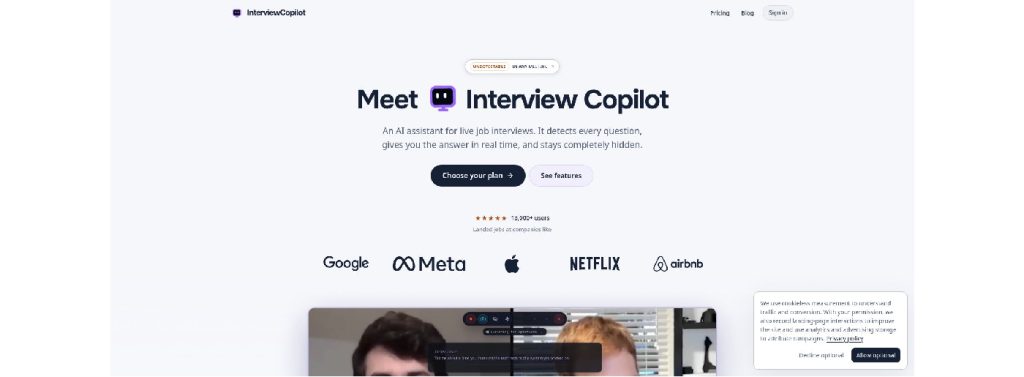

Interview Copilot Mac AI interview assistant website screenshot.
Live interview flow
- Glance mode shows short speaking points.
- A shortcut sends a coding task, diagram, document, or job post for analysis. Coding help explains approach, complexity, and trade-offs.
Mac fit and permissions
Native desktop app for macOS and Windows; the macOS minimum version is not published. Setup requests three standard permissions: Microphone, Screen & System Audio Recording, and Accessibility.
Pricing snapshot
$49 per month or $149 per year. Both plans include all features. The app is free to download and test, but a live interview requires a subscription. You can cancel renewal at any time; paid fees are not refunded.
Pros
- Flat pricing with unlimited sessions
- Prompts reference your own résumé and job description
Cons
- A live interview requires a subscription
- Minimum macOS version not published
Final Round AI: Best All-in-One Interview Suite
Why it stands out
One workspace keeps your résumé, job description, and notes together. That single “Goal” drives structured practice, live coaching, and an automatic debrief, keeping feedback loops short and consistent.

Final Round AI all-in-one interview suite website screenshot.
Mac fit and permissions
The desktop build supports macOS 11 or newer; direct meeting-audio capture requires macOS 14.4 or newer; Intel and Apple Silicon code ship in the same DMG. During setup the app guides you through Microphone, Screen & System Audio Recording, and Accessibility permissions; each toggle turns green when granted.
Live experience
The overlay floats above Zoom, Meet, or Teams. STAR bullets appear for behavioral questions, and coding rounds surface approach, complexity, and sample snippets beside your IDE. A ⌃⇧-S shortcut grabs any diagram or document on screen and adds context-aware hints.
Pricing snapshot
- Free to download and set up Goals
- Pro tier: from $25 per month, billed annually*
- No credit packs or session caps; Stealth Mode included
*Pro starts at $25/month with unlimited live Copilot sessions; the exact totals appear at checkout. (often triple-digit for a single sprint).
Pros
- Prep, live, and debrief in one place
- Unlimited live sessions on Pro
- Guided macOS permission flow
- Integrated screen capture for coding and cases
Cons
- Sonoma 14.4+ requirement blocks older Macs
- Final price varies at checkout
- Independent tests report occasional stale coding context on complex tasks
Beyz AI: Best for Keyboard-Driven Overlay Control
Why it stands out
Invisible Desktop floats above Zoom or your IDE and receives a single shortcut to pass clicks through. Option-Shift combos adjust opacity, position, and instant hide or show, so you keep typing without juggling windows.

Beyz AI Invisible Desktop overlay website screenshot.
Mac fit and build info
Two separate downloads (Apple Silicon and Intel); current public build 0.1.10. Requires macOS 14 Sonoma or later; no Rosetta workarounds needed. Setup asks only for Microphone, Screen & System Audio Recording, and Accessibility permissions.
Live features
- Behavioral mode: concise STAR bullets near the webcam
- Coder mode: auto-detects the problem, drafts approach and complexity, then shrinks out of view
- Solver mode: frames system-design or product diagrams with a ready-made structure
Pricing snapshot
- Monthly tier $49.99 (coding excluded)
- Quarterly: $32.99 per month*
- Semi-annual: $24.99 per month*
Free download lets you test the interface before paying.
*Effective monthly cost when paid up front; checkout may add regional VAT.
Pros
- Separate ARM and x86 builds, clear Sonoma requirement
- Click-through overlay keeps focus on your IDE
- Strong coding AI interview assistant on longer plans
Cons
- Three-month commitment required to access coding help
- Few independent benchmarks on invisibility claims
LockedIn AI: Best for Power Users Who Adjust Every Setting
Why it stands out
Pick your model (GPT-4o, Claude 3, Gemini 1.5, or a mix), choose a mode—live interview, coding challenge, system-design whiteboard, or online assessment—and fine-tune session length, Stealth behavior, and document context. Power users can save presets and switch from code-review verbosity to terse bullet answers in two clicks.
Mac fit and Stealth mechanics
The universal binary supports Intel and Apple Silicon; minimum macOS 13 Ventura. Setup requests Microphone, Screen & System Audio Recording, and Accessibility permissions, then runs a live audio-routing test. Stealth Mode (overlay hidden from normal screen shares) is available only on the Unlimited Pro tier.
Pricing and limits
- 10 free Copilot minutes to test latency
- Monthly credit packs (price shown after login)
- Unlimited General subscription (overlay visible)
- Unlimited Pro subscription (Stealth included)
- Lifetime license option
Paid live sessions max out at 120 minutes; mock sessions at 60. Compare effective cost per active week before committing.
Pros
- Granular model, mode, and privacy controls
- Free minutes for no-card testing
- Universal build covers both chip families
- Extensive documentation and troubleshooting guides
Cons
- Pricing is complex and hidden until login
- Stealth costs extra
- 120-minute ceiling may interrupt long panels
Parakeet AI: Best for Multilingual and Credit-Friendly Interviews
Why it stands out
The desktop app covers 50+ languages and includes a toolbar to swap between GPT-4o, Gemini 1.5, or Claude 3 mid-session. Instead of subscriptions only, Parakeet sells non-expiring credit packs, ideal for interview bursts followed by quiet weeks.
Mac fit and build info
Universal binary for Intel and Apple Silicon. The vendor has not published the exact minimum macOS version or current build number; treat both as unknown until confirmed. Setup asks for Microphone, Screen & System Audio Recording, and Accessibility permissions.
Live workflow
Install, grant the three permissions, and the overlay hovers above Zoom or Meet. Behavioral prompts arrive as short, localized STAR bullets; coding mode shows approach, complexity, and snippets in a split view. The company says the overlay stays hidden during screen shares; run your own receiver-side test to verify.
Pricing snapshot
- Credit pack: 3 credits for $59 (one credit = 60 minutes)
- Weekly pass: $78
- Monthly subscription: $149.90
- Annual plan: $49.99 per month, billed yearly
Pick credits if interviews come in bursts; choose a subscription for sustained weekly rounds.
Pros
- 50+ languages in one install
- Per-session model choice (GPT, Gemini, Claude)
- Credits prevent wasted subscription days
Cons
- Highest stand-alone monthly price in this shortlist
- macOS minimum and build number not published
- Independent tests report mixed accuracy on complex coding questions
Noeth: Best Budget Option for BYOK and Local Models
Why it stands out
Pay $12.90 once for a license that works on three devices. After install, add your own API key (OpenAI, Anthropic, Gemini, or a local Ollama model) and pay only the raw token or GPU cost. No subscription, no vendor-stored transcripts.

Noeth BYOK local models interview assistant website screenshot.
Mac fit and build info
Universal Intel/Apple Silicon binary. The vendor has not published the minimum macOS version or current build number; treat both as unknown until confirmed. Setup asks for Microphone, Screen & System Audio Recording, and Accessibility permissions.
Live coding flow
Pin the overlay at the top of your IDE or browser console. Click a problem, take a screenshot, and Noeth returns an approach outline, runnable code, and Big-O analysis while leaving your cursor free.
Pricing snapshot
- Lifetime software license: $12.90
- BYOK: pay only your provider’s usage fees
There is no free trial, but the license covers macOS, Windows, and Linux.
Pros
- Lowest one-time cost in this shortlist
- BYOK sends data directly to your chosen AI provider, while local Ollama models can keep processing on the device
- Cross-platform licence
- Screenshot workflow speeds live coding rounds
Cons
- Minimal behavioural question support
- API setup may deter non-developers
- Few independent benchmarks so far
- You manage your own model costs and updates
Which AI Interview Assistant Fits Your Interview Scenario?
Match your upcoming rounds to the options below, then verify each app’s macOS requirement and billing cadence before installation.

| Your situation | Best pick | Why it works |
| Mixed behavioural, coding, and system-design loop | Interview Copilot | Flat rate, résumé-grounded prompts, coding included |
| One tool to prep, perform, and debrief for weeks | Final Round AI | Single Goal stores practice, live help, and post-call reports |
| Rapid-fire technical screens where shortcuts matter | Beyz AI | Click-through overlay and opacity shortcuts keep focus on code |
| You adjust every setting and swap models mid-call | LockedIn AI | Granular mode and model controls; Stealth in Pro tier |
| Multilingual calls or an occasional interview schedule | Parakeet AI | 50+ languages plus non-expiring credit packs |
| Pure coding focus on a lean budget | Noeth | $12.90 lifetime license and BYOK or local model support |
What a Real Mac AI Interview Assistant Must Get Right
A polished overlay means nothing if the app crashes the moment you click Start video. Run this four-part check before trusting any tool in front of a hiring panel.
Audio Capture Comes First
Grant the Screen & System Audio Recording permission so the app hears the interviewer directly, not an echo from your speakers. Test with the same headset you’ll use live; Bluetooth profiles can flip without warning.
Native Code for Your Chip
Look for a universal or ARM-native binary. On an M-series MacBook Air, native code cuts CPU load and heat. If you’re on an Intel or Ventura machine, confirm the download page still lists your architecture.
Review Every macOS Permission
Check which permissions the app requests and why. Microphone, system audio, screen recording, and accessibility access can be legitimate for an AI interview assistant, but requests for unrelated access such as contacts or full-disk access deserve closer scrutiny.
No Bot Joins the Call
Check whether the tool joins the meeting as a bot, runs as a desktop application, or uses another capture method. If a bot joins the call, make sure that behavior is permitted by the interview format and employer.
Bonus sanity checks
- Watch CPU, RAM, and Energy Impact in Activity Monitor during a 10-minute Zoom mock.
- Test the app’s screen-sharing behavior before relying on it, and confirm the employer or interview platform permits its use.
- Repeat the test after the next macOS or Zoom update; behavior can change overnight.
Pass all four steps, schedule a 15-minute rehearsal on the exact meeting platform you’ll use, and you can focus on what matters: answering with confidence.
Are “Invisible” AI Interview Apps Really Undetectable?
Treat ‘invisible’ as a technical feature claim, not a guarantee that an employer, proctoring system, or monitoring software cannot detect or prohibit the tool.
Screen-share capture
Vendors may claim “undetectable in any meeting.” Example: Interview Copilot says its overlay stays out of screen shares, recordings, and screenshots, whether you share a window or a full monitor. The company also notes that coverage can fail on managed devices or strict proctoring systems, so retest after every macOS or meeting-app update.
Local traces
Even with a hidden window and no Dock icon, the process name appears in Activity Monitor and company monitoring agents. Some tools offer white-label process names, but keyboard-focus shifts and shortcut events still leave logs.
Human perception
Recruiters notice darting eyes and rehearsed, list-style answers. Treat AI prompts as cue cards you paraphrase, not a script you read verbatim.
Bottom line: consider these assistants low-visibility, not foolproof stealth. Verify the AI interview assistant app’s behavior on your setup and check the rules before using it in a live interview.
Pricing Traps that Matter More than the Headline Price
Sticker prices often hide extra costs. Watch these five pitfalls before you pay for AI interview assistant:
Annual billed as “per month.”
Final Round AI advertises $25 per month, but checkout charges a year up front. Cancel early and you forfeit any unused months.
Coding sold separately.
Beyz’s monthly tier excludes Coder mode. You need at least a quarterly plan, which lifts the effective cost to $32.99 per month when paid up front.
Credit pack breakage.
Parakeet sells one-hour credits, but a 30-minute recruiter screen burns half a credit you can’t reuse. Compare the per-minute rate with an unlimited week pass.
Per-session ceilings.
LockedIn AI caps live sessions at 120 minutes. A long panel can force a restart and break your flow.
No-refund policies.
Interview Copilot is free to download and test, but a live interview needs a subscription and paid fees are not refunded. You can cancel renewal any time, yet it is wise to test thoroughly before paying.
AI Interview Assistant Responsible Use: Support Versus Misrepresentation
AI prompts should jog your memory, not invent experience. Treat the AI interview assistant like dynamic note cards and follow these four rules:
Never claim work you didn’t do.
Background checks and follow-up questions uncover invented metrics quickly.
Paraphrase; don’t read.
Hiring managers detect scripted delivery. Glance at the prompt, then restate it in your own words and add fresh detail.
Check the rulebook first.
Many companies allow note-taking but ban live AI tools. If assistance is prohibited, close the overlay and rely on practice; missing a cue is better than losing the offer.
Know the recording law where you live.
Recording laws vary by jurisdiction. Before recording an interview or capturing another person’s voice or screen, check the applicable federal, state, and local rules and obtain consent when required.
Use AI as a recall aid, not a teleprompter, and you will remain both ethical and credible.
Final Verdict
All six apps live in /Applications, sit above Zoom or Meet, and surface guidance quickly, yet each targets a different pain point.
| If you need… | Choose… | Core advantage |
| A single flat bill and résumé-based prompts | Interview Copilot | Unlimited sessions, coding included |
| One workspace for prep ➔ live ➔ debrief | Final Round AI | “Goal” unites every interview phase |
| Keyboard-first control during rapid coding rounds | Beyz AI | Click-through overlay and opacity shortcuts |
| Deep control of models, modes, and privacy | LockedIn AI | Granular presets plus Stealth (Pro tier) |
| Multilingual support or pay-as-you-go credits | Parakeet AI | 50+ languages and non-expiring credits |
| A $12.90 lifetime coding helper | Noeth | BYOK or local models, zero recurring fees |
Before you commit, confirm two points:
- macOS requirement. Verify that the current build supports your Mac version and chip.
- Billing cadence. Click through to checkout so you see the real upfront cost, not the teaser rate.
Run a 10-minute mock call with your top two picks. Keep the one that performs reliably on your Mac, fits your workflow, and complies with the rules of your interview. Calm, confident delivery beats any prompt.