New Flash Portfolio: Whirling Papervision 3D Gallery
We can’t wait to present you, our dear customers, our new product: a premium Flash CMS gallery. It is much more than just an interactive template – it is a Flash masterpiece!
This impressive whirling Flash CMS gallery created with Papervision 3D is highly functional and will perfectly work for any purpose portfolio: a photographer’s, artist’s, designer’s portfolios, online exhibitions, model agencies, creative groups, etc.
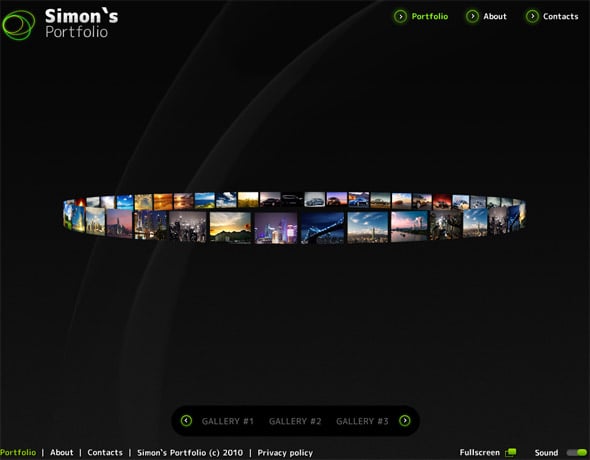
The portfolio is equipped with an interactive 3D gallery in the form of a circle that runs around when you mouse over the page. If you wish to stop the gallery, point the cursor over it. To open a big image preview, just click on its thumbnail.
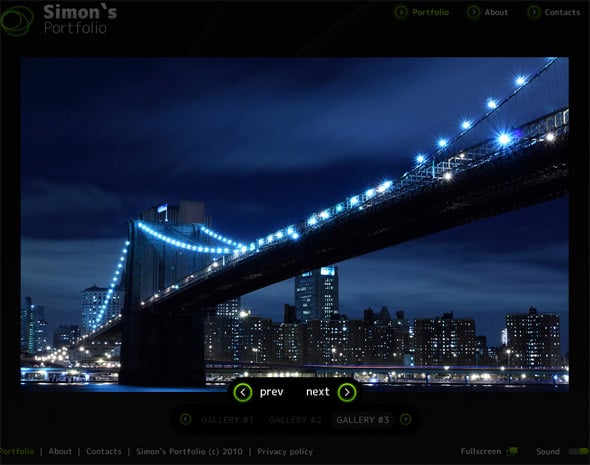
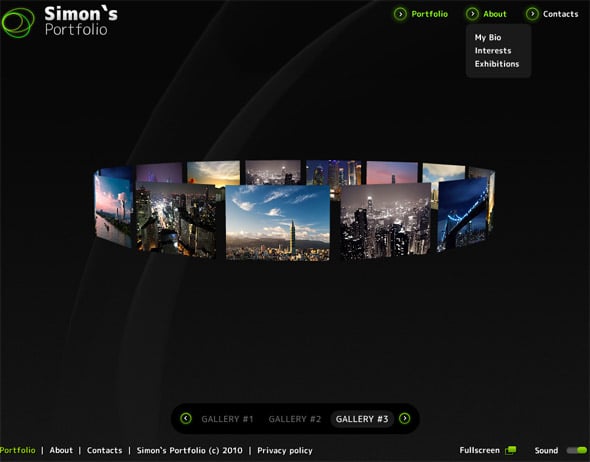
You can create a great number of albums within the gallery and sort your images according to categories. For each gallery its own circle sub-gallery is created. The “prev” and “next” interactive arrow buttons allow to easily navigate the sub-galleries. The interactive drop down menu is not only attractive visually – it offers the visitors an extremely comfortable way of the website navigation.
This template is a full-fledged Flash website that can be easily modified through Moto Flash CMS integrated. If you are not familiar with the opportunities of Moto CMS for Flash, you will be pretty excited with the system functionality, the widest opportunities it offers, and almost intuitive interface that allows to create Flash website with minimum efforts. It is possible to add elements and effects, create pages and pop-ups, integrate new modules and fonts, and much more. A really great component is Flash image editor that provides a rich editing toolset for modifying images: to zoom in and out images as well as scale them, rotate horizontally or vertically or change the angle, resize or crop your images, change image hue, saturation and color balance, adjust contrast and brightness, add effects to images, etc.
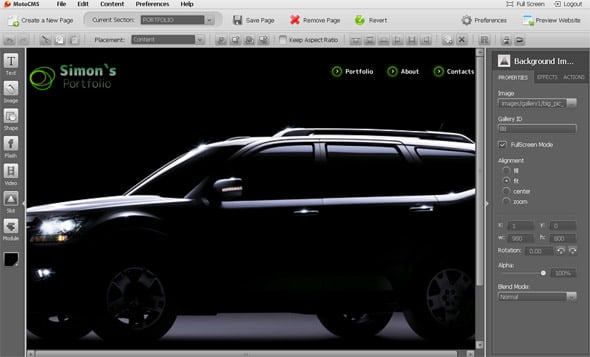
A really cool feature of this Flash CMS gallery is the ability to change the background. It can be achieved with the help of Background image slot integrated into the control panel. Moreover, you can customize your background image to your liking. There are such functions as full screen mode, alignment, rotation, alpha and blend mode. Also, you can easily add the effects: bevel, blur, color, glow or shadow.
Try the DEMO and appreciate the advantages of this amazing Flash CMS gallery from MotoCMS!
[th_ft count=”4″ title=”Pick a Design for Your New Portfolio Website!” cat=”” type=”19″ keyword=””]
For those who are really interested in Papervision 3D and are in search of some interesting Flash gallery solutions, we recommend to visit our Moto Flash CMS templates – Papervision 3D templates.
22 responses to “New Flash Portfolio: Whirling Papervision 3D Gallery”
Leave a Reply





New Flash Portfolio: Whirling Papervision 3D Gallery…
This impressive whirling Flash CMS gallery created with Papervision 3D is highly functional and will perfectly work for any purpose portfolio: a photographer’s, artist’s, designer’s portfolios, online exhibitions, model agencies, creative groups, etc….
New Flash Portfolio: Whirling Papervision 3D Gallery | MotoCMS…
This impressive whirling Flash CMS gallery created with Papervision 3D is highly functional and will perfectly work for any purpose portfolio: a photographer’s, artist’s, designer’s portfolios, online exhibitions, model agencies, creative groups, etc….
A Flash Masterpiece: Whirling Papervision 3D Gallery…
This impressive whirling Flash CMS gallery created with Papervision 3D is highly functional and will perfectly work for any purpose portfolio: a photographer’s, artist’s, designer’s portfolios, online exhibitions, model agencies, creative groups, etc. …
Wow. It’s impressive gallery script. 🙂
Is it possible to modify the 3d gallery and add support for videos etc.?
A client of mine has bought this template and want me to make some changes e.g. when a thumbnail is clicked then show video below the gallery area.
I have worked on templates driven by earlier versions of MotoCMS and I see MotoCMS is still very locked and doesn’t give developer full freedom to customize the templates/modules as per clients’ requirements.
For example I checked the module file associated with the 3d gallery and I have only access to the category items and next/prev buttons but I don’t have any access to the gallery items so that I can override the image loading functionality and make something different.
@ King the Lionheart
This gallery module consists of 2 parts:
1) module, responsible for categories;
2) slot, presenting 3D.
For overriding logics of presenting images you should edit the slot called Gallery3DPreviewerSlot.as.
This is a good question, so we moved it to our forum where you can get more detailed information:
http://www.motocms.com/forum/threads/145-3D-Gallery
[…] Direct Link […]
[…] New Flash Portfolio: Whirling Papervision 3D Gallery | MotoCMS […]
[…] New Flash Portfolio: Whirling Papervision 3D Gallery […]
[…] New Flash Portfolio: Whirling Papervision 3D Gallery […]
[…] New Flash Portfolio: Whirling Papervision 3D Gallery […]
[…] New Flash Portfolio: Whirling Papervision 3D Gallery | MotoCMS […]
[…] New Flash Portfolio: Whirling Papervision 3D Gallery […]
The whirling flash cms gallery by Papervision 3d is quite eye catching
Thanks for the posting
really great work
thanks!!! for sharing the post
…..
[…] New Flash Portfolio: Whirling Papervision 3D Gallery | MotoCMS […]
Fantastic gallery, superb images. Thanks for sharing.
[…] New Flash Portfolio: Whirling Papervision 3D Gallery | MotoCMS […]
[…] New Flash Portfolio: Whirling Papervision 3D Gallery | MotoCMS This entry was posted in 3d and tagged Gallery. Bookmark the permalink. ← The Fantasy Art Of Computer Games – Fantasy Art 3d […]
It’s impressive.thanks for sharing.
Hello all-
Is it possible to add or attach script to the images possibly in an expandable format?
Thanks.
@Jeff
Thank you for your question. You can only attach scripts to the HTML widget, not to images in the gallery.